
Free vs Paid AI Tools in 2026: When Does Upgrading Actually Make Sense?
ChatGPT, Claude, Gemini, and Grok all offer free plans. We break down what you actually get, where the free tier runs out, and when $20/month is worth it.
Free vs Paid AI Tools in 2026: When Does Upgrading Actually Make Sense?
TL;DR
What you need to know: Free AI tiers in 2026 are genuinely capable. For light use, you don't need to pay. But if you hit usage limits regularly or need specific features like reasoning mode or Workspace integration, the $20/month plans pay off quickly.
Key findings:
- ChatGPT free: GPT-5.2 access, but capped at 10 messages every 5 hours. Plus ($20/mo) unlocks thinking mode, 5x limits, and Sora video generation.
- Claude free: Same Sonnet 4.5 model as paid, roughly 9 messages per conversation window. Pro ($20/mo) adds Opus 4.6 (80.9% SWE-bench) and Claude Code.
- Gemini free: 32K token context, no Google Workspace integration. Google AI Pro ($19.99/mo) adds Deep Research, 128K context, and Gmail/Docs/Sheets AI.
- Grok free: ~10 requests per 2 hours on Grok 3. SuperGrok ($30/mo) removes caps and gives Grok 4 access.
- Best value upgrade: Claude Pro at
20/mo for knowledge work and coding. ChatGPT Plus at20/mo for multimodal tasks and video.- Stay free if: You use AI a few times per day for simple tasks, or you rotate across multiple free platforms.
The $20/month question is genuinely harder to answer than it was two years ago.
In 2024, paying for AI meant getting access to better models. Now the free tiers access the same models, just with tighter limits. Claude's free plan runs on Sonnet 4.5 — the same model most paid users interact with daily. ChatGPT free now includes GPT-5.2.
So when does paying actually matter? Here's what the real differences are.
What the Free Plans Actually Give You
ChatGPT Free (OpenAI)
Free users access GPT-5.2, OpenAI's flagship model. The limit is 10 messages every 5 hours. For someone asking a few questions after work, that works fine. For anyone using ChatGPT as a daily work tool, you'll hit that ceiling by mid-morning.
Basic image generation and voice chat are included. But image generation wait times for free users can stretch past 30 minutes during peak hours, compared to 2-3 minutes for paid users.
Claude Free (Anthropic)
Claude's free tier is the most generous right now. You get Claude Sonnet 4.5 with the same underlying intelligence as paid. In February 2026, Anthropic expanded the free tier further, adding Projects, Artifacts, and app connectors to non-paying users.
The limit: roughly 9 messages per conversation window. Not per day. Per window. Some people work around this by opening a fresh conversation, but for complex multi-session projects, it breaks flow.
Gemini Free (Google)
Gemini free is the weakest of the three main options. The context window is capped at 32K tokens, which is enough for short conversations but limiting for document analysis or long research threads.
More importantly: no Google Workspace integration. If you use Gmail, Docs, or Sheets daily, the free plan doesn't touch those apps. That's a significant gap for anyone in the Google ecosystem.
Grok Free (xAI)
Grok is available free to X users, limited to about 10 requests every 2 hours. Free access runs on Grok 3. Grok 4, the newer and more capable model, requires a paid plan.
Paid Plan Comparison at a Glance
| Platform | Plan | Price/mo | Core Upgrade |
|---|---|---|---|
| ChatGPT | Go | $8 | Unlimited GPT-5.2 Instant, ~20 image gens/day |
| ChatGPT | Plus | $20 | Thinking mode, 5x limits, Sora, DALL-E 4 |
| ChatGPT | Pro | $200 | Unlimited GPT-5.2 Pro, max context, Sora 2 Pro |
| Claude | Pro | $20 | Opus 4.6 model, 5x limits, Claude Code |
| Claude | Max | $100–200 | 5–20x usage limits of Pro |
| Gemini | Google AI Pro | $19.99 | Deep Research, 128K context, Workspace AI |
| Gemini | Google AI Ultra | $249.99 | 1M token context, Veo video generation |
| Grok | SuperGrok | $30 | Grok 4, higher usage limits |
| Grok | SuperGrok Heavy | $300 | Max compute for heavy reasoning workflows |
ChatGPT: Is Plus Worth $20?
The main bottleneck with ChatGPT free is the 10-message-per-5-hours cap. If you're a daily user, that's the core issue, and Plus solves it directly with 5x more messages.
But Plus adds more than just headroom:
- GPT-5.2 Thinking mode: Extended reasoning for complex, multi-step problems. Noticeably better for analytical tasks and debugging.
- Sora video generation: Text-to-video at 720p up to 5-second clips (Sora 2 Pro is on the $200 plan).
- DALL-E 4 image generation: Faster (2-3 minutes vs 30+ minutes) and higher quality.
- Priority access: No slowdowns during peak hours.
If you mainly want to remove the message cap without the extras, the $8 Go plan is worth considering. It gives you unlimited GPT-5.2 Instant access and around 20 image generations per day. Good value if you just need reliable access to the base model.
Skip Plus if: You use ChatGPT fewer than 10 times per day and rarely do image generation.
Get Plus if: You need AI for daily work tasks, want thinking mode for complex problems, or create video content.
Claude: Is Pro Worth $20?
Claude Pro is the most compelling upgrade of the three, mostly because of what it unlocks beyond just higher limits.
The free plan is already excellent. Sonnet 4.5 handles most writing, research, and coding tasks well. But Pro adds:
- Claude Opus 4.6: Released February 2026, it leads coding benchmarks at 80.9% on SWE-bench Verified. The gap between Sonnet and Opus is real for complex software tasks.
- 5x message allowance: From roughly 9 messages per window to around 45.
- Claude Code: Autonomous coding that completes multi-step development tasks without constant supervision. This alone justifies the upgrade for developers.
- Priority access during peak demand.
For a full head-to-head on model capabilities, see our ChatGPT vs Claude 2026 comparison which covers how these models perform on real tasks.
Skip Pro if: Your work is conversational or involves short, standalone tasks. Sonnet 4.5 handles those well on the free plan.
Get Pro if: You're a developer, researcher, or analyst who runs long sessions or needs the highest accuracy on hard problems.
Gemini: Is Google AI Pro Worth $19.99?
Gemini's paid plan is the hardest to evaluate because the value is so tied to your existing workflow.
If you live in Google Workspace, Google AI Pro transforms how you work:
- Deep Research: Multi-step web research that surfaces cited summaries, similar to what research analysts do manually.
- 128K token context window: Nearly 4x the free tier's 32K. Enough for full documents, long code files, or extended project conversations.
- AI inside Gmail, Docs, Sheets, Slides: Draft emails, summarize threads, build formulas, write in-doc, all with AI directly in the interface.
- Gemini 3 Pro model access.
If you're not using Google Workspace? The case weakens significantly. The base Gemini model competes with ChatGPT and Claude, but neither has a clear edge that justifies the price on model quality alone.
The $249.99 Ultra plan's 1M token context window is a genuine differentiator for anyone working with massive documents or codebases. For most people, it's overkill.
Skip Pro if: You use a different productivity suite or rarely interact with Google apps at work.
Get Pro if: Google Workspace is your daily environment and you want AI embedded directly in your existing tools.
Grok: Is SuperGrok Worth $30?
Grok sits in an interesting position. Its free tier is limited (10 requests per 2 hours on Grok 3), but the model itself has gotten strong for real-time web knowledge since it's deeply integrated with X's data.
SuperGrok at $30/month adds:
- Grok 4 access (meaningfully stronger reasoning than Grok 3)
- Significantly higher usage limits
- Better latency through prioritized routing
At $30/month, it's slightly more expensive than ChatGPT Plus or Claude Pro without matching their breadth of features. The main reason to choose SuperGrok is if you need real-time social data or are embedded in the X ecosystem.
Skip SuperGrok if: You need general-purpose AI and already have ChatGPT or Claude.
Get SuperGrok if: Real-time web/social context is important to your work, or you use Grok as your primary interface on X.
The Multi-Platform Free Strategy
Here's something that actually works: use multiple free tiers in rotation.
When Claude's conversation limit closes, switch to ChatGPT. When ChatGPT's 5-hour window resets, use Gemini for document tasks. Most heavy AI users do this informally already.
The combined capacity of three free tiers exceeds what most people need in a day. And each platform has different strengths anyway. Claude is stronger on complex reasoning, ChatGPT on multimodal tasks, Gemini on Google-integrated work.
The downside: juggling accounts, different interfaces, and losing conversation context between sessions. If that friction bothers you, a single paid plan consolidates everything.
When the Free Plan Is Enough
You probably don't need to pay if:
- You use AI fewer than 10-15 times per day
- Your tasks are short (quick questions, one-off summaries, simple drafts)
- You're comfortable switching between platforms when you hit a limit
- You're evaluating whether AI is useful before committing
- You mainly use AI for personal projects, not time-sensitive work
If you're still figuring out how to integrate AI into your daily workflow, our guide to automating daily tasks with AI covers practical starting points that work on free plans.
When You Should Upgrade
Upgrade when hitting limits is costing you time or breaking your workflow. That's the honest test.
Other clear signals:
- You code with AI daily. Claude Code and Opus 4.6 are materially better for software development. The free tier won't cut it for serious coding workflows.
- You create visual or video content. ChatGPT Plus includes Sora and faster image generation that changes what's practical.
- Your work is inside Google Workspace. Gemini Pro's in-app AI is worth the $20 if you're in Docs and Gmail all day.
- You run long research sessions. Hitting the context window mid-analysis is disruptive. Paid plans remove that constraint.
- You need responses fast. Free tiers get throttled during peak hours. Paid users don't.
For professionals billing clients, the math is simple. One hour saved per month at any reasonable billing rate covers the subscription cost. For freelancers especially, AI tools compound over time in ways that make the $20 look cheap. See our breakdown of the best AI tools for freelancers in 2026 for more on this.
FAQ
Can I really get away with using only free AI tools in 2026?
Yes, if your usage is moderate. Claude and ChatGPT free tiers both run capable models. The limits are on messages per session or per time window, not on model quality. If you're doing quick tasks a few times a day, free is fine.
Is ChatGPT Plus or Claude Pro the better $20 upgrade?
It depends on your work. ChatGPT Plus is stronger for multimodal tasks (images, video with Sora, voice). Claude Pro is better for coding (Opus 4.6, Claude Code) and long document analysis. If you're forced to pick one for general knowledge work, Claude Pro has a slight edge. For content creation, ChatGPT Plus wins.
What's the best budget AI option if I want to pay something?
ChatGPT Go at 8/month removes the strict message cap for basic tasks without the full 20 commitment. It doesn't include thinking mode or Sora, but for unlimited standard AI access it's the cheapest reliable option.
Do free tiers give you the same AI model as paid?
Mostly, with important caveats. Claude free and Pro both use Sonnet 4.5, but Pro adds Opus 4.6. ChatGPT free accesses GPT-5.2 but with heavy restrictions and throttling. Gemini free gets the same base model but less context and no Workspace features.
Is there a way to test paid features before committing?
ChatGPT and Claude both offer limited previews of paid features. Claude's free expanded tier (as of February 2026) now includes Projects and Artifacts. ChatGPT occasionally unlocks brief trials of Plus features for free users. Check each platform for current trial offers before subscribing.
What about privacy? Does paying change how your data is used?
Paid plans on Claude, ChatGPT, and Gemini all include options to disable training on your conversations. Free tiers may use your data to train future models by default. If data privacy matters for your use case (legal, medical, client work), check each platform's privacy settings regardless of plan.
Conclusion
Free AI tools in 2026 are good enough that upgrading is genuinely optional for many people. The days of "free means inferior model" are mostly over.
The real question is whether message limits are costing you workflow time. If you hit caps once or twice a week, it's annoying but manageable. If you're hitting them daily, the $20 monthly plans earn their keep quickly.
Claude Pro for coding and research, ChatGPT Plus for multimedia and content creation, Gemini Pro for Google Workspace users. Pick the one that fits your work.
If you want a single AI assistant that gives you consistent access without juggling platform limits, Zemith offers a managed solution with no configuration required.
Explore Zemith Features
Everything you need. Nothing you don't.
One subscription replaces five. Every top AI model, every creative tool, and every productivity feature, in one focused workspace.
Every top AI. One subscription.
ChatGPT, Claude, Gemini, DeepSeek, Grok & 25+ more







Always on, real-time AI.
Voice + screen share · instant answers
What's the best way to learn a new language?
Immersion and spaced repetition work best. Try consuming media in your target language daily.
Voice + screen share · AI answers in real time
Image Generation
Flux, Nano Banana, Ideogram, Recraft + more

Write at the speed of thought.
AI autocomplete, rewrite & expand on command
Any document. Any format.
PDF, URL, or YouTube → chat, quiz, podcast & more
Video Creation
Veo, Kling, Grok Imagine and more

Text to Speech
Natural AI voices, 30+ languages
Code Generation
Write, debug & explain code
Chat with Documents
Upload PDFs, analyze content
Your AI, in your pocket.
Full access on iOS & Android · synced everywhere
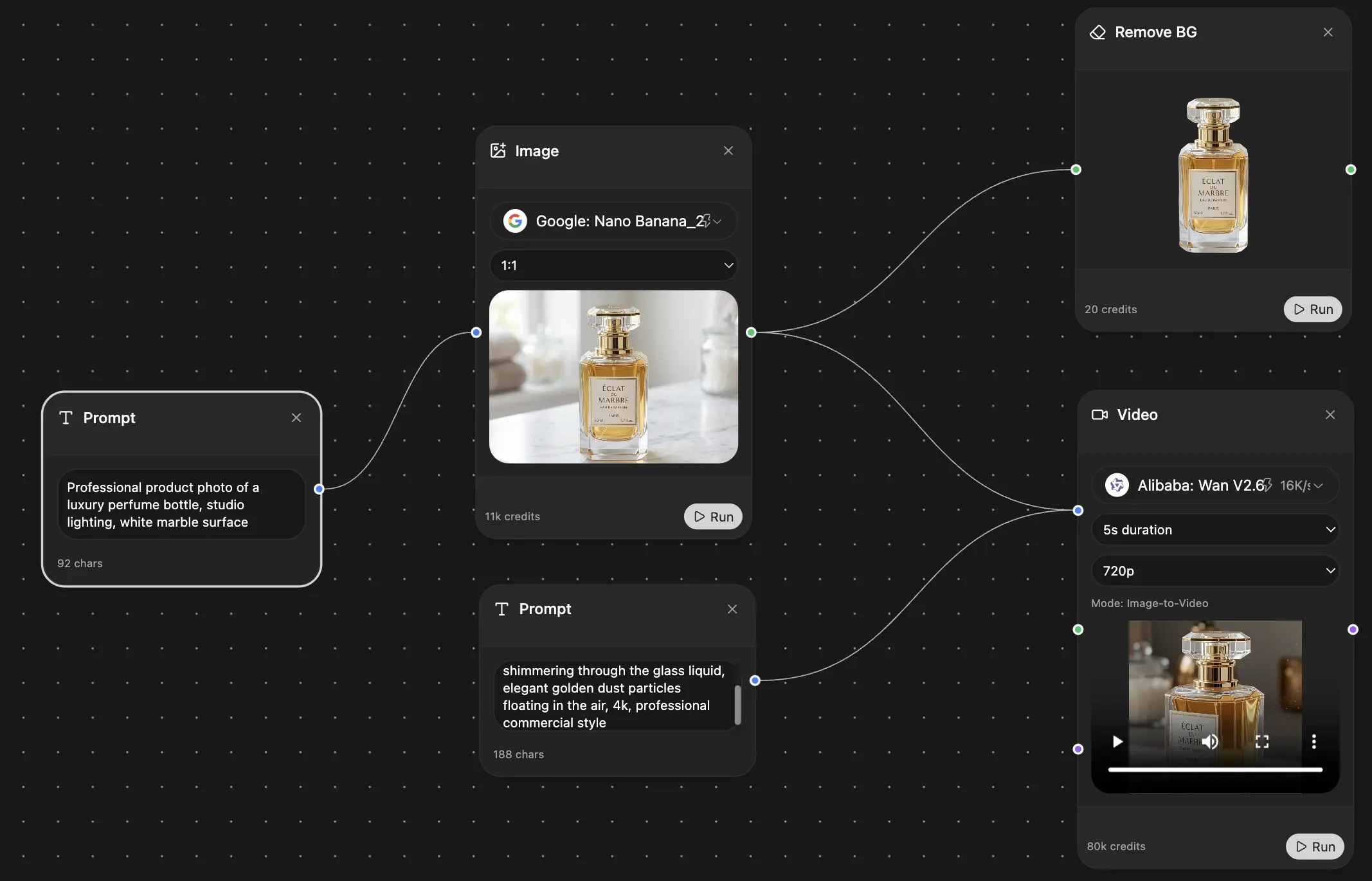
Your infinite AI canvas.
Chat, image, video & motion tools — side by side
Save hours of work and research
Transparent, High-Value Pricing
Trusted by teams at






Free
No credit card required
- 100 credits daily
- 3 AI models to try
- Basic AI chat
Plus
- 1,000,000 credits/month
- 25+ AI models — GPT, Claude, Gemini, Grok & more
- Agent Mode with web search, computer tools and more
- Creative Studio: image generation and video generation
- Project Library: chat with document, website and youtube, podcast generation, flashcards, reports and more
- Workflow Studio and FocusOS
Professional
- Everything in Plus, and:
- 2,100,000 credits/month
- Pro-exclusive models (Claude Opus, Grok 4, Sonar Pro)
- Motion Tools & Max Mode
- First access to latest features
- Access to additional offers