A No-Nonsense Guide to Systematic Literature Review Methodology
Master the systematic literature review methodology with practical steps: design protocols, search strategies, screening, and data synthesis.
A systematic literature review provides a rigorous, transparent, and reproducible framework to find, evaluate, and pull together all the available evidence on a specific research question. Think of it less like a casual skim through some papers and more like a scientific experiment where the test subjects are existing research studies. You're basically becoming a research detective, and this guide is your magnifying glass.
What Exactly Is a Systematic Literature Review, Anyway?

Ever feel like you're trying to drink from a firehose of academic articles? A systematic literature review (SLR) is the ultimate filter, designed to turn that chaos into a clear, evidence-based answer. This isn't the kind of literature review you might have cobbled together in college the night before it was due; it's the gold standard for understanding everything known about a topic.
The key difference is the commitment to finding everything—the good, the bad, and the "meh, this is inconclusive." While a traditional review might let a researcher cherry-pick studies that support their hypothesis (we've all seen it happen), an SLR demands an exhaustive and unbiased search. That commitment is what gives the whole process its street cred. To see how this fits into the bigger picture of structured inquiry, you can explore this practical guide to .
Systematic Review vs Traditional Literature Review at a Glance
Here's a quick cheat sheet on what makes a systematic literature review a totally different beast.
Basically, one is a guided tour given by a well-meaning but biased local, and the other is a full-blown scientific investigation with GPS coordinates.
Why This Method Is So Respected
The secret sauce is the protocol. Before the search even begins, researchers create a detailed plan outlining the research question, search strategy, and the all-important inclusion/exclusion criteria. This plan acts as a public commitment to objectivity, ensuring the results aren't just a reflection of the researcher's personal bias. It’s what makes the entire process auditable and repeatable by others. It's the "show your work" of academic research.
This structured approach is now a cornerstone of evidence-based practice in fields from medicine to management. Its popularity has exploded since the 1970s. We're talking about a jump from under 10 publications per year in the early '80s to over 10,000 by 2020 in biomedical fields alone. Much of this growth is thanks to standardized guidelines like PRISMA, which has now been cited in more than 100,000 studies.
A traditional review is like a casual stroll through a library, picking up whatever catches your eye. A systematic review is a full-blown expedition with a map, a compass, and a detailed plan to uncover every stone.
Thankfully, you don't have to do it all by hand anymore. Instead of manually sifting through thousands of abstracts, you can use a tool like Zemith's Document Assistant to generate summaries and pull key data points. It automates the grunt work, freeing you up to focus on the brainy stuff—like what it all means. While the process is rigorous, it's a distinct beast from other forms of academic writing; check out our guide on for more context on the different types.
Laying the Groundwork: Your Research Protocol
Let's be honest. Diving into a systematic review without a protocol is a recipe for disaster. It's like trying to build IKEA furniture without the instructions—you'll waste time, miss crucial steps, and the final product will probably fall apart. Your protocol is that blueprint. It forces you to think through every single decision before you start your search.
This document is your roadmap. It details your research question, where you'll look for studies, and the strict rules for what gets included or excluded. It keeps you on the straight and narrow, preventing that all-too-human temptation to shift the goalposts when the data isn't telling you what you want to hear.
Nailing the Research Question
Everything hinges on your research question. If it's too vague, you'll be wading through thousands of irrelevant papers for weeks. Too specific, and you'll find nothing. The goal is to hit that sweet spot: focused, specific, and, most importantly, answerable.
The PICO framework is a classic for a reason. It's a simple but powerful tool that breaks your question down into its core components, which is a lifesaver when you get to building your search strings.
- P (Population/Problem): Who are we talking about? (e.g., adult patients with type 2 diabetes)
- I (Intervention): What treatment or factor are you looking at? (e.g., a low-carbohydrate diet)
- C (Comparator): What's the alternative or control? (e.g., a standard low-fat diet)
- O (Outcome): What are you measuring? (e.g., changes in blood glucose levels)
Working through PICO transforms a fuzzy idea into a sharp, focused question. Suddenly, "Does diet help diabetes?" becomes: "In adults with type 2 diabetes (P), does a low-carbohydrate diet (I) compared to a standard low-fat diet (C) improve blood glucose levels (O)?" Now that's a question you can build a search around.
A well-defined research protocol is the single most important document in a systematic literature review methodology. It's the difference between a rigorous scientific inquiry and a haphazard collection of papers.
The protocol isn't just a private to-do list, either. It’s a public commitment to transparency. Many researchers register their protocols in databases like before they even run their first search. This holds you accountable and also helps prevent two teams from accidentally doing the exact same review at the same time. Awkward.
Drawing the Lines: Inclusion and Exclusion Criteria
With your question set, you need to define your "in" and "out" piles. These are your inclusion and exclusion criteria, and they have to be set in stone before you look at a single abstract. I can't stress this enough.
Think of these criteria as the bouncers for your review—they decide which studies get in. They need to be brutally clear and objective.
Examples of Inclusion Criteria might be:
- Study Design: We're only looking at randomized controlled trials (RCTs).
- Publication Date: Only studies published from 2015 onward.
- Language: Papers must be in English.
- Population Details: Participants have to be over 18.
And for Exclusion Criteria:
- Study Type: No case studies, opinion pieces, or other reviews.
- Intervention Context: Exclude studies where the diet was paired with a specific exercise program.
- Outcome Measures: Boot any study that doesn't report on blood glucose levels.
These rules ensure that everyone on your team screens papers the same way. It takes the guesswork and personal bias out of the equation, which is critical for a review you can stand behind. Ultimately, this kind of rigorous planning is just good .
This planning phase can feel a bit slow, but the effort you put in now will save you countless headaches later. A great way to get this all organized, especially if you're working with colleagues, is to map it out visually. Zemith's Whiteboard, for example, is perfect for this. You can brainstorm your PICO question, drag-and-drop your criteria, and design the entire workflow in a shared, dynamic space, making sure everyone is on the same page from day one. No more "Wait, what were we looking for again?" conversations.
Mastering the Art of the Database Search
Okay, with your protocol set in stone, it's time to roll up your sleeves and start the hunt. This isn't about a quick Google Scholar search; it's a strategic, comprehensive search for every relevant piece of literature out there. Think of it as casting a wide, intelligent net to make sure nothing important slips through.
You need to become a search engine whisperer. Your most powerful tools for this are Boolean operators—simple words like AND, OR, and NOT that completely change your search results. Getting these right is fundamental to a proper systematic review.
Building Search Strings That Actually Work
Mastering Boolean logic isn't optional. It’s what separates a systematic search from just throwing keywords at a search bar and hoping for the best.
Let's quickly cover the big three:
- AND: This narrows your search.
"diabetes" AND "diet"will only pull up articles that mention both terms. It’s perfect for connecting the different concepts from your PICO question. - OR: This broadens your search.
"diet" OR "nutrition"will find articles that mention either term, which is essential for catching all the different ways researchers talk about the same thing. Synonyms are your friend! - NOT: Use this one carefully.
"diabetes" NOT "type 1"will kick out any article that mentions "type 1." While it can be useful, you risk accidentally filtering out a relevant paper that just happens to mention the excluded term in passing. Proceed with caution.
The real magic happens when you combine these with parentheses to create sophisticated search strings. For example: ("type 2 diabetes" OR "T2DM") AND ("low-carb diet" OR "ketogenic diet") AND ("blood glucose" OR "glycemic control"). This query locks onto your core concepts while also grabbing their most common synonyms.
Choosing Your Battlegrounds (aka Databases)
You can’t just search one database and call it a day. A thorough review demands searching multiple databases to get the full picture. Different databases index different journals, so relying on just one is a surefire way to get biased results.
Your go-to list will almost always include:
- PubMed/MEDLINE: Absolutely essential for health and biomedical sciences.
- Scopus: A massive multidisciplinary database that’s great for tracking citations.
- Web of Science: Another huge player, particularly strong in the sciences.
- Discipline-Specific Databases: Depending on your field, you might need PsycINFO for psychology, CINAHL for nursing, or EconLit for economics.
Don’t stop there. You have to look into grey literature—things like conference papers, dissertations, government reports, and clinical trial registries. This is where you'll often find crucial data, especially negative results that don't always make it into big-name journals. It's your best defense against publication bias.
Documenting every single search is non-negotiable for reproducibility. You need to log the date, the database, the exact search string you used, and how many results it returned. Yes, it’s as tedious as it sounds.
This is where having a central workspace saves your sanity. Instead of juggling endless browser tabs and a messy spreadsheet, a tool like Zemith's Deep Research feature can keep this whole process organized. You can run and track your searches across different sources and pull the results directly into your project, creating a clean, auditable trail. You might also find other helpful that can support different stages of your project.
From Thousands to a Handful: The Great Funneling
Prepare yourself: your initial searches will likely return thousands, if not tens of thousands, of hits. Don't panic. This is completely normal. The next phase—screening—is designed to systematically whittle that massive number down.
Publication bias and study heterogeneity are major hurdles. It's not at all unusual for an initial search of over 5,000 articles to be narrowed down to less than 5% by the time you're done.
One review I know of, for example, screened databases like Web of Science and Scopus and ended up with just 21 articles from an initial mountain of results. They got there through a rigorous four-stage screening process based on a strict PICO framework. This dramatic funneling is a classic sign of a well-executed systematic review. You can read more about how if you want to dive deeper.
Screening and Extracting Data Without Losing Your Mind
Alright, you’ve downloaded what feels like half the internet. Take a breath and pat yourself on the back, but don’t get too comfortable. Now comes the real test of your patience: the screening process. This is where you methodically sift through that mountain of studies to find the few nuggets of gold.
Think of this as the digital equivalent of panning for gold. It’s a grind, no doubt, but this is the phase that separates a good review from a great one. The whole idea is to apply your pre-defined inclusion and exclusion criteria with ruthless consistency—first to titles and abstracts, and then to the full text of the survivors.
This diagram lays out the groundwork that gets you to this point, from building your search query to running it across databases and tracking the results.
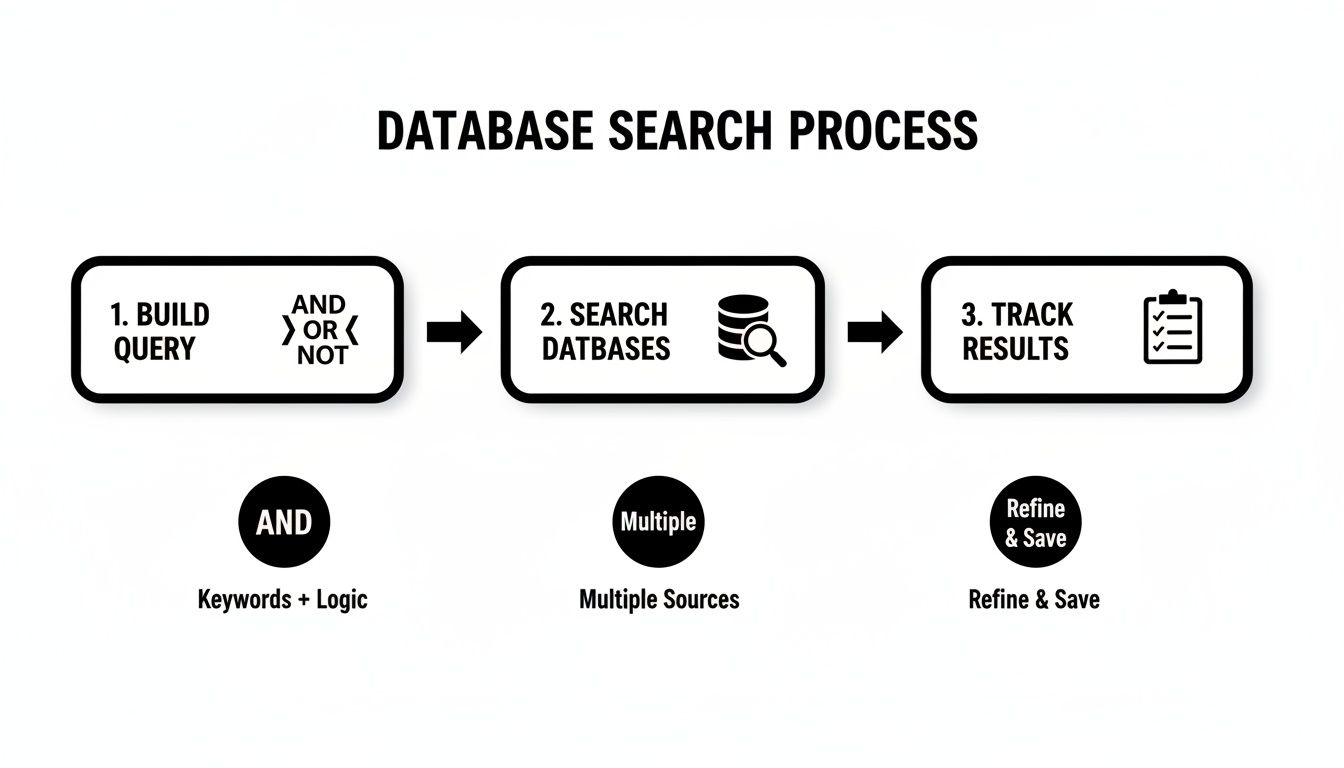
This workflow is all about building a solid, unbiased foundation before you even start thinking about screening.
The Two-Stage Screening Gauntlet
Screening is basically a two-part battle. The first round is a quick-and-dirty assessment of titles and abstracts. You're making split-second judgment calls here, asking yourself, "Is this study even remotely relevant to my PICO question?" You'll be surprised how many articles get the boot right here. It's like research speed dating.
For the studies that make the cut, you move on to the full-text review. This is where you roll up your sleeves and do a much deeper dive, reading the entire paper to make sure it meets every single one of your inclusion criteria. It’s slow, detailed work, and it has to be.
To keep yourself honest and avoid bias, it's a non-negotiable best practice to have at least two people screen everything independently. Disagreements will happen, and frankly, that’s a good sign! It means your criteria are being properly tested. Just make sure you have a plan for resolving conflicts, which usually involves a third reviewer acting as the tie-breaker.
Conquering Data Extraction
Once you have your final, sacred set of studies, it's time to extract the data. This is where you systematically pull out the key pieces of information from each paper and plug them into a standardized form or spreadsheet. It’s not just about copying and pasting; it’s about translating complex research into clean, comparable data points.
Your extraction template should be built directly from your research question. You'll almost always need to grab:
- Publication details: Author, year, journal.
- Study characteristics: Design, sample size, population demographics.
- Intervention and comparator details: What was done, for how long, how often?
- Outcome measures: The results, effect sizes, and confidence intervals.
The real goal of data extraction is to create a structured dataset that lets you compare apples to apples, even if the original studies reported their findings in wildly different ways. A well-designed template is your best friend here.
This stage can be incredibly tedious, especially when you're staring down a folder of dozens of PDFs. This is where a modern systematic literature review methodology can really benefit from smart tools. Instead of manually highlighting and typing, you can use something like Zemith’s Document Assistant. Just upload all your PDFs, and you can literally chat with them—ask for specific data points like "What was the mean age of the participants?" or "Summarize the key findings." It's an absolute game-changer for speed and accuracy. Many of these PDFs can be messy, but our guide on can provide some useful strategies for getting your documents ready for analysis.
Assessing the Risk of Bias
Let’s be real: not all research is created equal. Before you even think about synthesizing your findings, you have to critically appraise the quality of each study you’ve included. This is often called a "risk of bias" assessment, and you're essentially playing detective, looking for flaws in a study's design that could have skewed the results.
There are great, standardized tools for this, like the Cochrane Risk of Bias tool for RCTs or the Newcastle-Ottawa Scale for observational studies. You'll be asking questions like:
- Was the randomization process actually random?
- Were participants and researchers blinded to the treatment groups?
- Was follow-up complete, or did a ton of people drop out?
This quality check is vital. It adds crucial context to your final synthesis and helps you decide how much confidence you can really place in each study's findings.
The PRISMA framework has been central to standardizing these core processes, and following a structured approach is proven to pay off. A recent guide from Baltimore, for example, emphasizes that using structured data extraction forms can slash errors by as much as 50%. That means far higher accuracy when you get to the exciting synthesis phase. You can discover more insights about and how it seriously improves review quality.
Bringing It All Together With Synthesis and Reporting
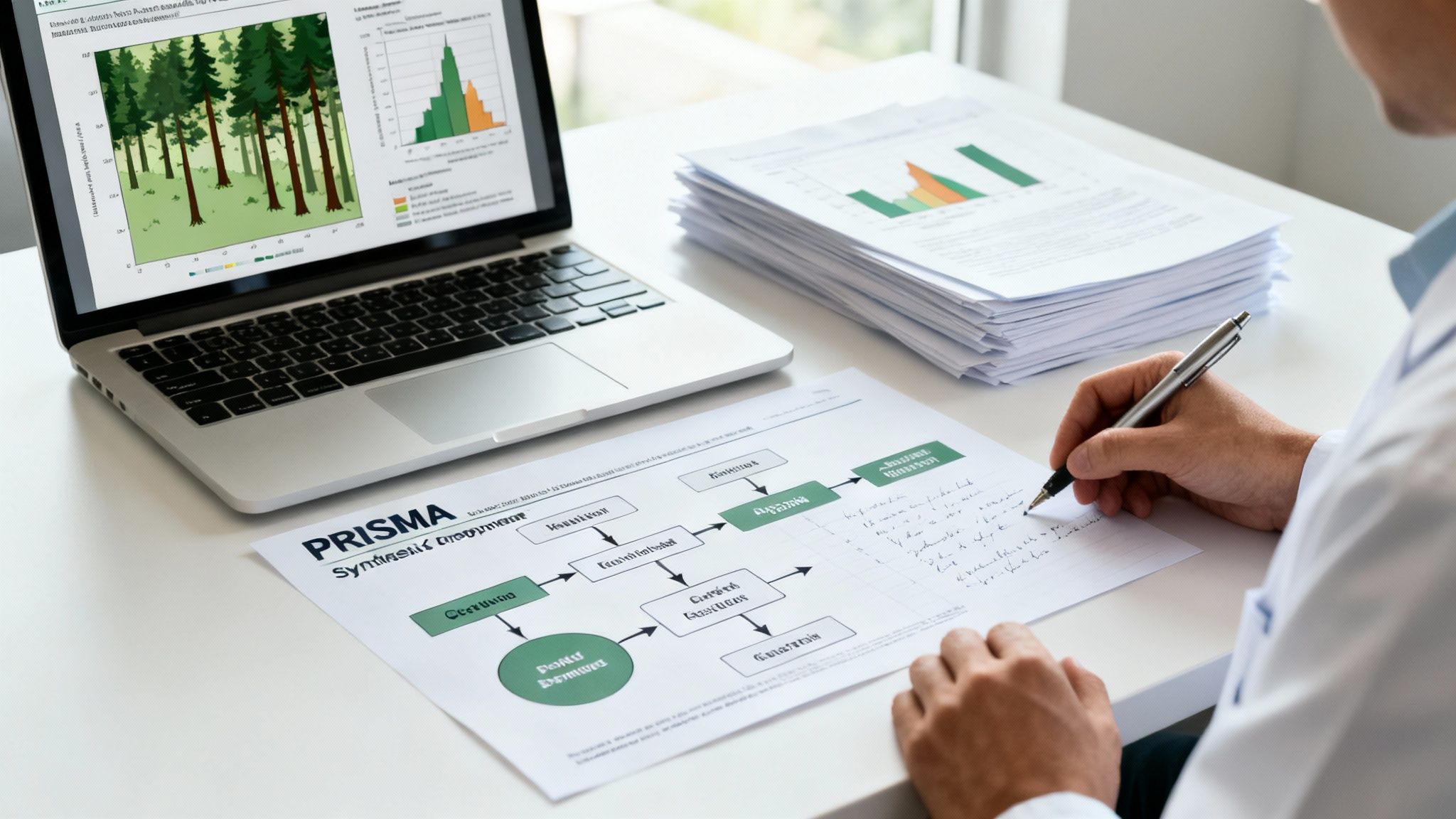
This is it—the moment where all your meticulous work finally pays off. After navigating digital libraries, screening countless studies, and extracting data with precision, you're ready to turn that raw information into a story that answers your research question.
This is the synthesis phase. You're shifting gears from being a data collector to a knowledge creator. It's about more than just summarizing; it's about digging deep to find patterns, make sense of conflicting results, and draw real, meaningful conclusions from the combined evidence.
Weaving the Story With Qualitative Synthesis
What happens when your included studies are all over the map in terms of methods or outcomes? A statistical mash-up just won’t cut it. This is where qualitative synthesis, and specifically thematic analysis, really shines.
Think of yourself as a detective poring over multiple case files. You’re not just listing what each study found; you’re looking for the threads that connect them. You might notice that three totally different studies, using different approaches, all pointed to a similar barrier to patient adherence. That’s a theme. You group these related findings, slap a descriptive label on them, and start building a narrative that explains how they all fit together.
If you want to dive deeper, we have a whole guide on . This process is what transforms a pile of individual findings into a coherent, insightful story that no single study could ever tell on its own.
Crunching the Numbers With Meta-Analysis
Now, if you got lucky and your studies are quite similar—say, a bunch of randomized controlled trials looking at the same intervention and outcome—you can take things to the next level with a meta-analysis. This is the quantitative side of the coin. You statistically combine the numerical results from each paper to get one powerful, overall estimate of the effect.
This approach gives you a much more precise and reliable answer than any single study ever could. The star of the meta-analysis show is the forest plot. It might look intimidating at first, but it's a beautifully simple way to visualize a ton of data. Each study gets its own row showing its result, and down at the bottom, a diamond represents the pooled, overall effect from all the studies combined.
The forest plot is your entire quantitative synthesis in one picture. It tells you, at a glance, what the bulk of the evidence says and how confident you can be in that conclusion.
If that final diamond doesn't touch the "no effect" line, you've likely found a statistically significant result. It's a fantastic moment.
The Grand Finale: Reporting With PRISMA
You've done the work and synthesized the findings, but you can't cross the finish line just yet. The final, absolutely critical step is to report everything you did with complete transparency. This is where the PRISMA (Preferred Reporting Items for Systematic Reviews and Meta-Analyses) guidelines become your best friend.
PRISMA provides a 27-item checklist that acts as your road map for credible reporting. It ensures you’ve documented every single detail, from your search strategy to your risk of bias assessment. Following it shows your readers you’ve been rigorous and unbiased.
The most iconic piece of PRISMA is the flow diagram. This diagram is your badge of honor. It visually maps out your entire screening journey: the number of records you found, how many you screened, why studies were kicked out at each stage, and the final count of articles that made the cut. It’s the ultimate proof of a solid systematic literature review methodology.
Let’s be honest, this final writing stage can feel like running a marathon after you’ve already run a marathon. Turning pages of data extraction sheets and synthesis notes into a polished report is a huge challenge. This is where a tool like Zemith's AI writer can be a lifesaver. You can feed it your raw notes and extracted data, and it helps generate clear, coherent paragraphs for your manuscript. It can help you win that final boss battle of academic writing.
Still Have Questions About Systematic Reviews?
You've made it through the deep dive into the systematic review process. Your head might be spinning with thoughts of PRISMA diagrams, Boolean operators, and data extraction forms. It’s a ton of information, and it's totally normal if you're still mulling over a few things.
Let's tackle some of the most common questions we hear from researchers who are just getting their feet wet.
So, How Long Does This Actually Take?
Ah, the classic question. The honest, if slightly frustrating, answer is: it depends. A rapid review on a very niche topic might get wrapped up in a few weeks. But a comprehensive systematic review, the kind you'd do for a PhD or a major journal publication? Plan on it taking anywhere from 6 to 18 months.
A few things really dictate that timeline:
- Your Question's Scope: The broader your research question, the more literature you'll have to wade through. Simple as that.
- Your Team Size: A solo researcher is going to move a lot slower than a team of four who can divide and conquer.
- Experience: If this is your first one, there's a definite learning curve. Seasoned teams can move much more efficiently.
The key is not to rush it. The whole point of a systematic review is its thoroughness. That's where its credibility comes from, and thoroughness just takes time.
A systematic review is a marathon, not a sprint. Trying to cut corners is the fastest way to undermine all your hard work. Go in expecting a long haul, and you won't be caught off guard.
Do I Really Need a Second Reviewer?
In a word: yes. I know it can feel like a logistical pain, especially if you're flying solo on a project. But having another person independently screen studies and extract data is your single best defense against bias.
Let's face it, we all have unconscious biases. A second set of eyes keeps everyone honest and objective. When two reviewers disagree on including a study, it forces a crucial conversation. That discussion, often settled by a third person acting as a tie-breaker, is what ensures your criteria are being applied consistently. It’s a layer of rigor you simply can't get on your own.
What's the Real Difference Between a Scoping Review and a Systematic Review?
This one trips a lot of people up. Here’s a simple way to think about it.
A systematic review sets out to answer a very specific, focused question. Think: "Does intervention X improve outcome Y in population Z?" It's targeted and definitive.
A scoping review, on the other hand, asks a much broader question, like, "What kind of research even exists on topic Z?" It's more about mapping the terrain—identifying key concepts, seeing where the bulk of the evidence lies, and, most importantly, spotting the gaps where more research is desperately needed. One drills for oil, the other maps the continent.
How on Earth Do I Manage Thousands of References?
This is where things can get really overwhelming. When your initial search spits out 10,000+ results, a simple Word doc and a prayer aren't going to cut it. You absolutely need software designed for this kind of chaos.
Reference managers like or are a decent starting point for collecting citations and weeding out duplicates. But to actually manage the entire workflow—from screening titles to extracting data—you need something more integrated.
This is exactly where a platform like Zemith can be a lifesaver. You can use its Library feature to keep all your PDFs and research materials neatly organized in one spot. Then, using the Document Assistant, you can instantly ask questions of your papers to find key information without even opening them. It turns a logistical nightmare into a smooth, manageable process and keeps everything connected, from your initial protocol to your final report.
Is It a Failure If My Review Finds No Good Evidence?
Not at all! In fact, it's the opposite. Discovering that there are no high-quality studies to answer your question is an incredibly important finding. This is what we call identifying a "gap in the literature," and it's one of the most valuable outcomes of a systematic review.
Your conclusion might be, "There is currently insufficient evidence to support or refute this intervention." That isn't a failure; it’s a massive contribution to your field. It signals to other researchers, funders, and policymakers precisely where future studies should be focused. Never be shy about reporting a "null" result—it's just as important as a positive one.
Feeling more confident about tackling your own systematic review? A powerful methodology deserves a powerful tool. Zemith brings every step of your research into one seamless workspace, from collaborative brainstorming to AI-assisted writing. Stop juggling dozens of apps and start building your evidence base in a single, organized place.
Explore Zemith Features
Everything you need. Nothing you don't.
One subscription replaces five. Every top AI model, every creative tool, and every productivity feature, in one focused workspace.
Every top AI. One subscription.
ChatGPT, Claude, Gemini, DeepSeek, Grok & 25+ more








Always on, real-time AI.
Voice + screen share · instant answers
What's the best way to learn a new language?
Immersion and spaced repetition work best. Try consuming media in your target language daily.
Voice + screen share · AI answers in real time
Image Generation
Flux, Nano Banana, Ideogram, Recraft + more

Write at the speed of thought.
AI autocomplete, rewrite & expand on command
Any document. Any format.
PDF, URL, or YouTube → chat, quiz, podcast & more
Video Creation
Veo, Kling, Grok Imagine and more

Text to Speech
Natural AI voices, 30+ languages
Code Generation
Write, debug & explain code
Chat with Documents
Upload PDFs, analyze content
Your AI, in your pocket.
Full access on iOS & Android · synced everywhere
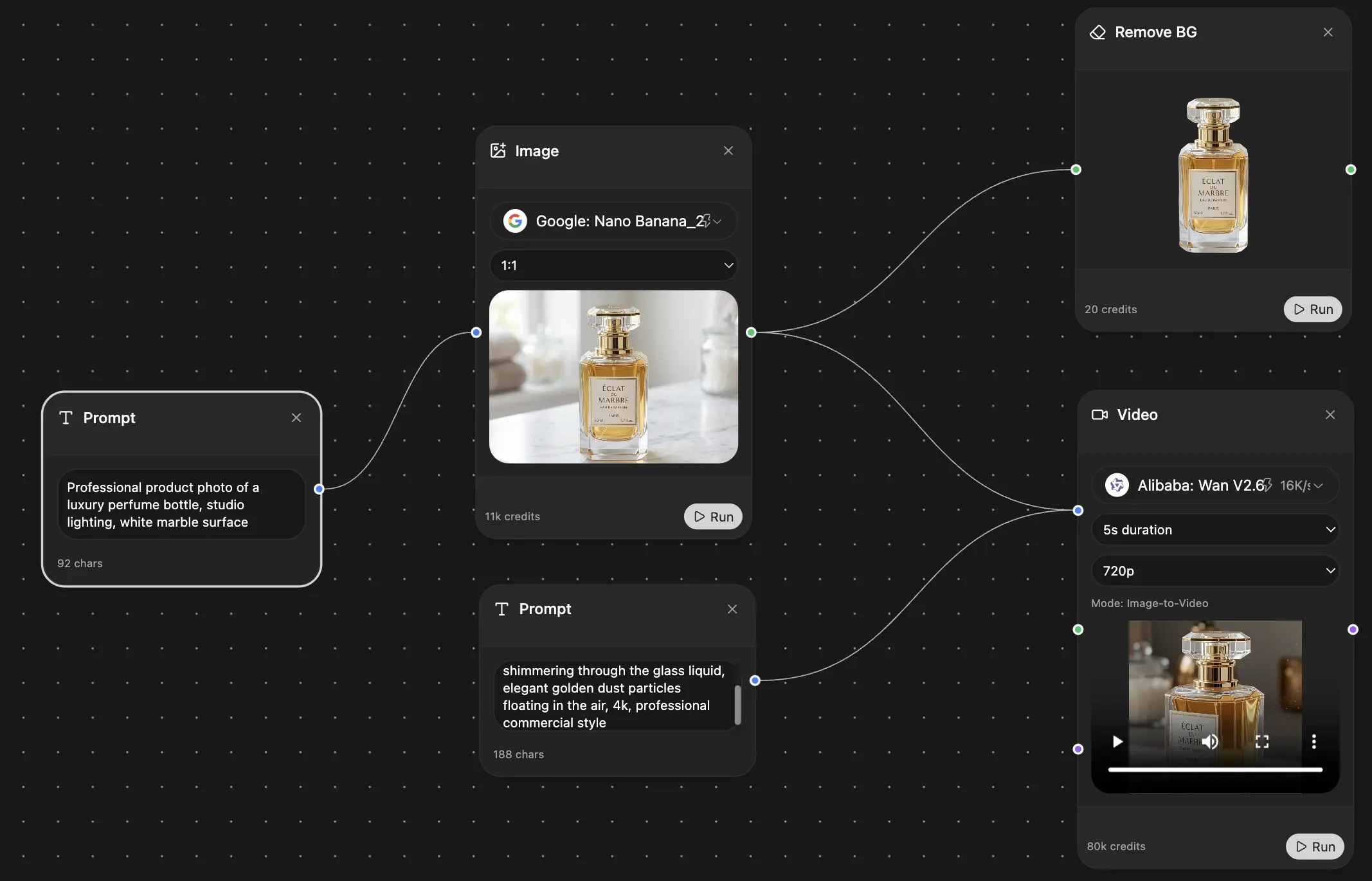
Your infinite AI canvas.
Chat, image, video & motion tools — side by side
Save hours of work and research
Transparent, High-Value Pricing
Trusted by teams at






Free
No credit card required
- 100 credits daily
- 3 AI models to try
- Basic AI chat
Plus
- 1,000,000 credits/month
- 25+ AI models — GPT, Claude, Gemini, Grok & more
- Agent Mode with web search, computer tools and more
- Creative Studio: image generation and video generation
- Project Library: chat with document, website and youtube, podcast generation, flashcards, reports and more
- Workflow Studio and FocusOS
Professional
- Everything in Plus, and:
- 2,100,000 credits/month
- Pro-exclusive models (Claude Opus, Grok 4, Sonar Pro)
- Motion Tools & Max Mode
- First access to latest features
- Access to additional offers
What Our Users Say
Great Tool after 2 months usage
simplyzubair
I love the way multiple tools they integrated in one platform. So far it is going in right dorection adding more tools.
Best in Kind!
barefootmedicine
This is another game-change. have used software that kind of offers similar features, but the quality of the data I'm getting back and the sheer speed of the responses is outstanding. I use this app ...
simply awesome
MarianZ
I just tried it - didnt wanna stay with it, because there is so much like that out there. But it convinced me, because: - the discord-channel is very response and fast - the number of models are quite...
A Surprisingly Comprehensive and Engaging Experience
bruno.battocletti
Zemith is not just another app; it's a surprisingly comprehensive platform that feels like a toolbox filled with unexpected delights. From the moment you launch it, you're greeted with a clean and int...
Great for Document Analysis
yerch82
Just works. Simple to use and great for working with documents and make summaries. Money well spend in my opinion.
Great AI site with lots of features and accessible llm's
sumore
what I find most useful in this site is the organization of the features. it's better that all the other site I have so far and even better than chatgpt themselves.
Excellent Tool
AlphaLeaf
Zemith claims to be an all-in-one platform, and after using it, I can confirm that it lives up to that claim. It not only has all the necessary functions, but the UI is also well-designed and very eas...
A well-rounded platform with solid LLMs, extra functionality
SlothMachine
Hey team Zemith! First off: I don't often write these reviews. I should do better, especially with tools that really put their heart and soul into their platform.
This is the best tool I've ever used. Updates are made almost daily, and the feedback process is very fast.
reu0691
This is the best AI tool I've used so far. Updates are made almost daily, and the feedback process is incredibly fast. Just looking at the changelogs, you can see how consistently the developers have ...