Mastering GPT Image Generation: From Prompt to Mind-Blowing Masterpiece
Unlock the power of GPT image generation. This guide offers actionable tips for crafting prompts, using advanced tools, and creating stunning AI art with ease.
Ever had a crystal-clear image in your head but couldn't find it anywhere on the internet? Welcome to the magic of GPT image generation. It’s like having a personal artist on speed dial, ready to turn your typed-out daydreams into stunning visuals in seconds. This isn't just some tech demo for geeks; it’s a full-blown creative revolution.
The AI Art Boom Is No Joke
Forget the soul-crushing scroll through stock photo sites, desperately searching for an image that’s close enough. And say goodbye to shelving a brilliant idea just because you can't afford a designer for a simple graphic. For marketers, developers, and creators, this technology is like a giant breath of fresh, digitally-generated air.
The numbers are pretty wild, too. The AI image generation market, kicked into overdrive by models like OpenAI's DALL-E, is ballooning. It rocketed from $349.6 million in 2023 and is projected to hit a mind-boggling $1.08 billion by 2030. That’s a compound annual growth rate (CAGR) of 17.7%.
This explosion is happening because these insanely powerful tools are now available to everyone. To get a feel for how big this shift is, it helps to look at the and see how they all fit into this new creative puzzle.
Why You Need Everything In One Place (Seriously)
With amazing new models popping up faster than you can say "generative adversarial network," the last thing you want is to be juggling a dozen different accounts and browser tabs. That's a one-way ticket to chaos. This is where an all-in-one workspace like Zemith becomes your secret weapon.
Our platform brings together the best of the best, like Stable Diffusion 3.5 and Google Imagen 3, into one clean, simple interface. You get to play with all the top-tier models without the headache of switching apps. It's about having the right tool ready the instant inspiration strikes. For a closer look at the options out there, check out our breakdown of the .
Picking Your AI Art Co-Pilot On Zemith
Let's do a quick rundown of the top image generation models available on Zemith and what they're best for, so you can pick the right sidekick for your next project.
Choosing the right model often comes down to what you're trying to create. The best part? On Zemith, you can experiment with all of them without logging in and out of different services. Just pick one from a dropdown and go.
So, What's In This Guide?
Ready to dive in? I’m going to walk you through everything, from figuring out "what is a prompt for AI image generation?" to creating images that look like they were pulled straight from your imagination.
We'll cover all the essentials:
- Choosing the right AI models for what you want to achieve.
- Writing powerful prompts that get you the results you actually want.
- Using handy tools like background removal and upscaling on Zemith.
- Putting your amazing new creations into your actual projects.
Let's get started turning your ideas into incredible visuals.
Crafting Prompts That Actually Work

Let's get one thing straight: the old tech saying "garbage in, garbage out" is the golden rule of AI art. If you type in a lazy prompt like "a dog on a hill," you'll get exactly that—a boring, generic picture of a dog on a hill. Yawn. To create visuals that actually make people stop and stare, you have to learn the art of talking to the AI.
Think of yourself less like a typist and more like a film director painting a picture with words. You need to be specific, set the scene, and add some flavor. This is where the magic of prompt engineering for image creation happens, and it's a lot less complicated than it sounds.
The Anatomy of a Killer Prompt
A great prompt is really just a detailed recipe. The better your ingredients, the more delicious the final image will be. Let's break down the key parts that take a simple idea and turn it into something special.
The Subject: This is your "what." Are you creating a "cyberpunk detective," a "majestic griffin," or a "vintage Italian espresso machine"? Be crystal clear.
The Action & Setting: What’s the subject doing, and where are they? Don't just say "a cat." Try "a fluffy ginger cat napping in a warm sunbeam on a cluttered artist's desk." The difference is night and day.
The Style & Vibe: Here's where you inject the artistic soul. Do you want a "dramatic oil painting," a "retro 1980s synthwave poster," or a "soft, gentle watercolor illustration"? The style defines the entire mood.
The Technical Details: Time to put on your photographer's hat. Specifying camera angles, lighting, and even lens types can completely change the final image.
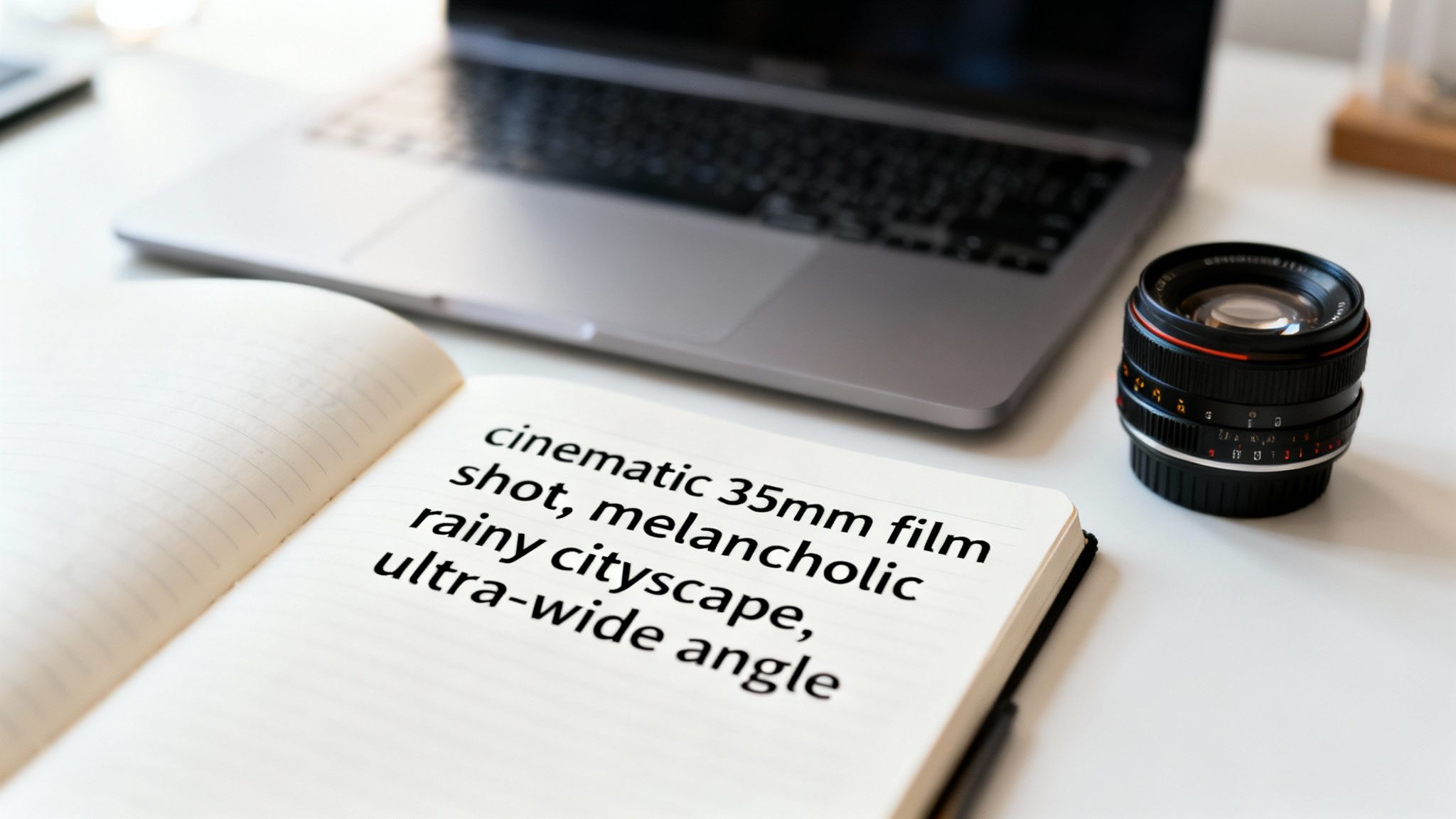
Pro Tip: Talk like a photographer. Use terms like "ultra-wide angle," "cinematic lighting," "35mm film shot," or "bokeh background." The AI understands these concepts and will use them to frame the shot just like a pro would.
Prompt Formulas You Can Steal
Feeling a little stuck? Hey, no one is born a prompt genius. Sometimes, all you need is a good starting point. Here are a couple of plug-and-play formulas to get your gpt image generation journey started.
The "Cinematic Scene" Formula:
[Subject] in a [Setting], [Action], [Mood], cinematic 35mm film shot, [Type of Lighting]
- Example: A lone astronaut in a derelict space station, looking out a window at a swirling nebula, melancholic mood, cinematic 35mm film shot, dramatic volumetric lighting.
The "Product Shot" Formula:
[Product], on a [Surface/Background], professional product photography, [Lighting Style], shot with a macro lens
- Example: A glossy black wireless earbud, on a polished marble surface, professional product photography, studio softbox lighting, shot with a macro lens.
And for a nearly endless supply of inspiration, the built-in Prompt Gallery on Zemith is your new best friend. It’s absolutely packed with ideas you can copy, tweak, and learn from. Think of it as the ultimate cheat sheet for making awesome art.
The Secret Weapon: Negative Prompts
Sometimes, the fastest way to get what you want is to tell the AI what you don't want. That's where negative prompts come in. They’re your personal quality control, helping you get rid of all the weird, glitchy stuff AI can sometimes produce.
Ever get an image of a person with six fingers? Or text that looks like it was written in another dimension? A negative prompt is your superhero.
Here's how to use them to clean up your results:
The Problem: The image looks blurry or pixelated.
- Negative Prompt: blurry, low quality, jpeg artifacts, low-res
The Problem: The anatomy is... a little off. (Hello, extra limbs!)
- Negative Prompt: mutated hands, extra fingers, deformed, disfigured, poor anatomy
The Problem: There's ugly, garbled text all over the image.
- Negative Prompt: text, watermark, signature, letters, words
By adding these simple exclusions, you’re basically putting up guardrails to keep the AI from driving off a cliff. It’s a super effective way to guide it toward a more polished result. If you want to dive deeper, we have a ton of ready-to-use examples you can explore to master your prompting skills; you can find more by checking out our guide on AI image prompt examples.
Getting good at prompts is all about trial and error, but it's an incredibly fun and rewarding process. Start with these formulas, play around with negative prompts, and don't be afraid to get ridiculously specific. Before you know it, you'll be pulling the exact images from your imagination and putting them on the screen.
Your All-In-One Creative Studio On Zemith
Getting that perfect AI image on the first try is an amazing feeling. But let's be real, it's rarely the final step. More often than not, it’s just the starting point. Most platforms just leave you there, forcing you to download the image, boot up another program, and begin that tedious app-switching dance.
That’s a headache we built Zemith to solve. Generating a great image is just part one; making it absolutely perfect is part two, and it all happens right here. Think of Zemith less as just a gpt image generation tool and more as your complete, integrated creative studio.
Zap Away Imperfections With Object Removal
So you’ve just generated a nearly perfect product shot, but the AI randomly decided to add a bizarre logo on the side. Or maybe you've got a stunning landscape, but there’s a floating rock in the sky that’s just… weird. In the old days, fixing that meant a painful trip to a photo editor to meticulously clone and patch it away.
Not anymore. Zemith's object removal tool is your magic eraser.
Just highlight the object you want gone—the photobomber in your team photo, the weird artifact in an architectural render—and click. The AI intelligently reads the surrounding pixels and seamlessly fills in the blank space, making it look like the object was never even there. It’s how you go from "almost perfect" to "perfect" in about five seconds.
The real win here is keeping your creative momentum going. Instead of getting bogged down in technical fixes, you can clean up an image in seconds and get right back to the fun part. This is what turns a decent workflow into a fantastic one.
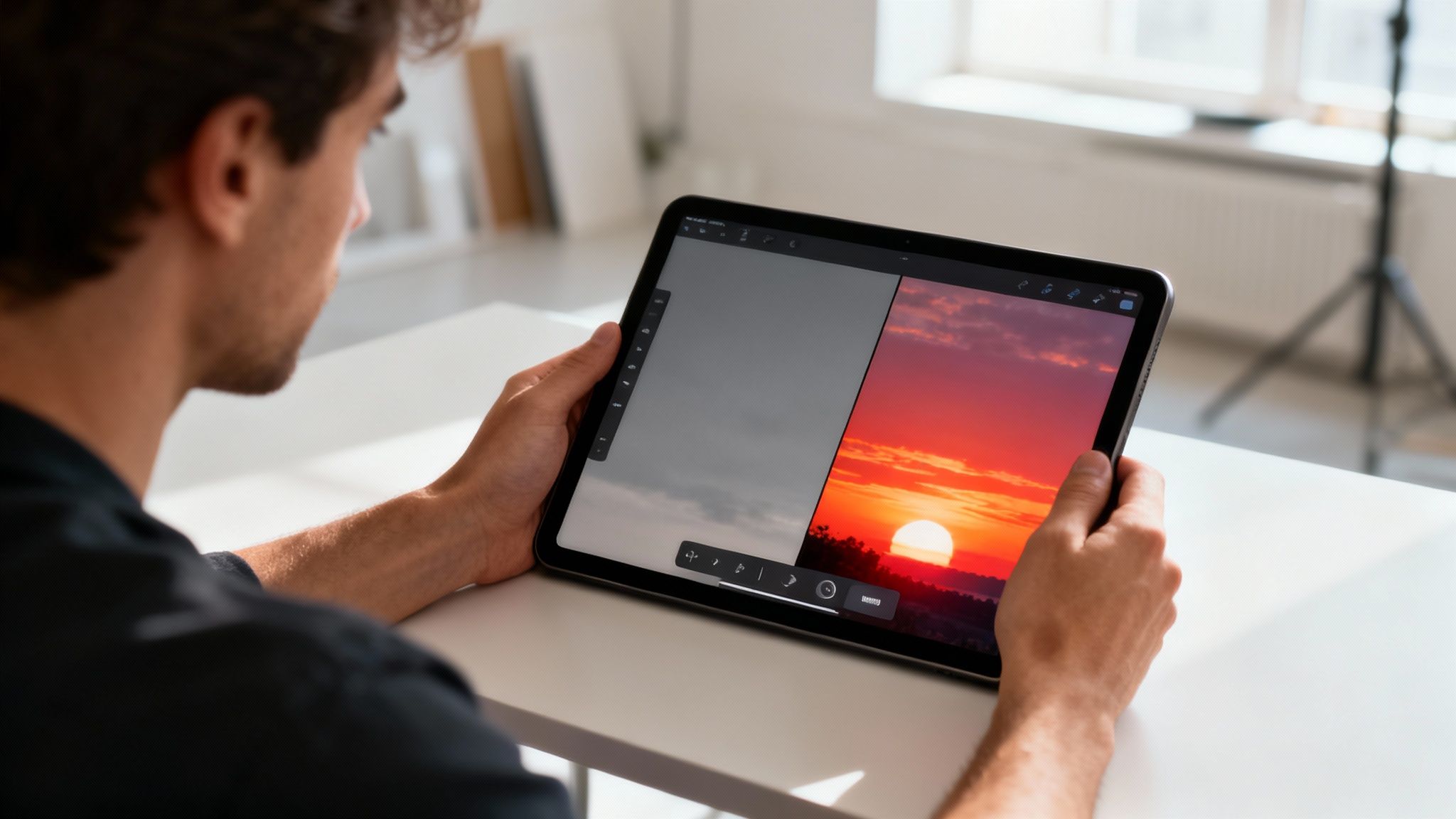
Transform Your Scene With Background Replacement
The background of an image completely dictates its mood. You might get a fantastic character portrait, but the bland, gray background isn't doing it any favors. Or maybe you need the same product shot to work across multiple campaigns—on a beach, in a slick office, or against a wild, abstract pattern.
Doing this by hand is a nightmare, especially when you're trying to select around tricky edges like hair or complex shapes. With Zemith’s background replacement, it's a simple, one-click job.
- Instantly remove the background for a transparent PNG, which is perfect for logos and web graphics.
- Swap in a solid color to perfectly match your brand’s palette.
- Upload your own image to place your subject in a completely new environment.
- Just describe a new background and let the AI generate one for you on the fly.
This is a game-changer for marketers and content creators. Suddenly, one generated asset can become a dozen unique visuals for different platforms or campaigns, all without ever leaving your workspace. If you're curious how AI pulls this off, our guide on the digs into the fascinating tech behind it.
Go Big Or Go Home With AI Upscaling
AI models usually generate images at a standard web resolution. That's fine for a blog post, but what if you need to print it on a poster or use it in a high-res video? A blurry, pixelated image can instantly tank the professional look of your entire project.
This is where AI upscaling comes in. It’s not just about making the image bigger; it’s about making it better.
Our upscaler uses AI to intelligently add detail and sharpness as it increases the image size. It actually analyzes the content and generates new, natural-looking pixels that preserve crisp lines and textures. This lets you take a standard 1024x1024 image and blow it up to a crystal-clear, print-ready graphic at 4K resolution or even higher, right inside Zemith. It’s the finishing touch that makes sure your work looks incredible, no matter where you use it.
Unlocking Pro Level Workflows And Advanced Techniques
So, you’ve nailed the basics of making cool, one-off images. Awesome. Now it's time to start thinking like a pro and plugging gpt image generation into real-world workflows that actually save time and unlock new creative avenues. This is where the magic really happens.
We're about to move past simple text-to-image prompts and into the techniques that separate the hobbyists from the power users. These methods will make AI an essential part of your toolkit, not just a fun toy.
Deconstruct and Recreate with Image to Prompt
Ever find yourself staring at an image from a competitor or an artist you admire, wondering, "How on earth did they create that?" You know you love the style—the colors, the vibe, the whole composition—but have zero clue how to describe it in a prompt.
That creative roadblock is now a thing of the past. With Zemith's Image to Prompt tool, you can just upload the image and let the AI do the heavy lifting. It'll analyze the visual data and spit out a surprisingly detailed text prompt that would generate a similar result. It’s like getting the secret recipe.
This isn't about ripping off someone's work. It’s a learning tool. The prompt it gives you is a fantastic starting point to tweak, customize, and make entirely your own. It's a brilliant way to deconstruct a visual style and learn the vocabulary to create it yourself.
From Messy Sketch to Polished Concept
Picture this: you're in a meeting, and you quickly sketch out a concept for a new app layout on a whiteboard. It’s just a rough scribble, but the core idea is solid. In the past, turning that into something presentable took hours of design work. Not anymore.
This is the power of "image-to-image" generation. You can take that messy sketch—or a wireframe, or even a drawing on a napkin—and use it as a blueprint for the AI.
Just upload your sketch and pair it with a prompt like, “Turn this rough wireframe into a clean, modern UI mockup in dark mode with vibrant purple accents.” The AI respects the structure of your drawing while applying the professional polish you asked for. It’s a stunningly fast way to jump from a rough idea to a high-fidelity concept.
This workflow is an absolute game-changer for designers and product teams. You can visualize concepts almost instantly, cutting down the feedback loop from days to minutes.
Maintaining a Consistent Style Across Campaigns
One of the biggest headaches in marketing is keeping your visual identity consistent. You might need a dozen different images for social media posts, blog headers, and digital ads, and they all need to feel like they belong to the same brand.
With gpt image generation on Zemith, you can essentially create a "style template" with your prompt. Once you've perfected a prompt that captures your brand's aesthetic—say, "A cheerful, flat-design illustration of office workers, pastel color palette”—you can lock it in.
Then, just swap out the subject matter as needed:
- "...office workers collaborating on a project."
- "...a single office worker having a eureka moment."
- "...a graph showing upward growth."
The result? A complete set of on-brand assets that look cohesive and professional. This is how you use AI image generation for consistent branding without pulling your hair out.
Automate Everything with API Calls
For developers, this is where things get really interesting. Instead of generating images one by one through a user interface, you can integrate this power directly into your own apps using an API. This opens the door to a whole world of automated and dynamic content creation.
If you're ready to start building, learning how to start is your first step.
The scale of this shift is massive. A mind-boggling 34 million AI images are now generated every single day worldwide, with over 15 billion created since 2022. This boom is fueled by models like DALL-E 3, which is integrated with GPT-4 and available to over 180 million users. For businesses, the impact is tangible: AI-generated images have been shown to boost e-commerce engagement by as much as 40%.
Navigating The Ethics Of AI-Generated Art
With great power comes great responsibility... to not make weird stuff. But seriously, we also have to think about the human side of this incredible technology. Jumping into GPT image generation is a ton of fun, but it definitely opens up a can of worms filled with some big, important questions. This isn't about getting bogged down in legal jargon; it's about making sure you can create with confidence.
So, let's tackle the elephant in the room: who actually owns an image an AI creates? It's a tricky question, and honestly, the legal world is still playing catch-up.
Generally, the thinking is that if there isn't significant human authorship involved, the work isn't protected by traditional copyright. The good news? Most platforms, including Zemith, grant you broad commercial rights to the images you generate. That means you can use them for your blog, marketing materials, or products without a headache.
Key Takeaway: While the legal landscape is still shifting, the terms of service on the platform you're using are your best guide. For most commercial projects, you're in the clear, but it never hurts to double-check the specifics.
Inspiration Versus Imitation
One of the coolest things about AI image generation is its ability to mimic artistic styles. Asking for an image "in the style of Van Gogh" is one thing, but what about prompting "in the style of [a living artist's name]"? This is where things get a bit more ethically gray.
It’s not illegal to be inspired by someone’s style, but there’s a fine line between paying homage and creating a knock-off that could hurt a working artist's brand. A good rule of thumb I follow is to use artist names as a learning tool to understand aesthetics, but to avoid using them for commercial work that directly competes with that artist.
Building Trust Through Transparency
Should you tell your audience that an image was made with AI? My short answer is: yes, you probably should. Transparency is everything when it comes to building and keeping trust. In a world where AI content is becoming the norm, being upfront about your process can actually set you apart.
Here are a few simple ways to do it:
- Add a small disclaimer: A simple caption like "Image created with AI" or an asterisk leading to a footnote is usually all it takes.
- Use hashtags: On social media, adding
#AIartor#MadeWithAIis a quick and easy way to let people know. - Talk about your workflow: If AI is a big part of your creative process, own it! Write a blog post or share a behind-the-scenes look at how you use tools like Zemith to bring your ideas to life.
This kind of honesty keeps your audience from feeling misled and shows you're a forward-thinking creator who's open about your tools. The ability for AI to see and interpret visuals is also a fascinating field worth exploring; you can learn more about how models understand pictures by reading our guide on .
At the end of the day, ethical creation is all about respect—respect for artists, respect for intellectual property, and respect for your audience. Keep these ideas in mind, and you can explore the incredible world of AI image generation confidently and responsibly.
Got Questions About GPT Image Generation? We've Got Answers
Jumping into AI image creation can feel like learning a new language. You're bound to have questions, and trust me, you're not the first to ask them. Let's tackle some of the most common things people wonder about when they start out.
So, Is This Stuff Free?
That's usually the first question on everyone's mind! The short answer is: sometimes. Most tools will give you a handful of free credits to play around with. It's a great way to test the waters and see what's possible without spending a dime.
But once you get serious, you'll likely hit a paywall. For heavy use or access to the absolute best models, you'll be looking at a subscription or a pay-per-image plan. This is where a platform like Zemith comes in handy. It bundles a bunch of top-tier models into a single subscription, so you get a massive creative toolkit without having to manage multiple accounts and bills. It's just a smarter way to scale up your creative work.
Why the cost? It’s not just a cash grab. Training these AI models and keeping the powerful servers running 24/7 takes a staggering amount of computing power and electricity. Generating that perfect image of an astronaut riding a unicorn in seconds is an energy-intensive process!
Can I Actually Use These Images for My Business?
This is a huge one. For the most part, the answer is a resounding yes, but you always need to read the fine print of the service you're using. The good news is that nearly all modern AI image generators, including every model on Zemith, give you full commercial rights to whatever you create.
That means you're clear to use your AI-generated art for things like:
- Social media campaigns and digital ads
- Website hero images and blog graphics
- T-shirt designs and other merchandise
- Illustrations for your next big presentation
Just stick with a reputable platform that has a crystal-clear policy on commercial use. It’s the best way to build your brand with incredible visuals and sleep well at night, knowing you're not heading for legal headaches.
What's the Deal with AI-Generated People Having Weird Hands?
Ah, the classic "AI hands" problem. You prompt for a beautiful portrait and get back someone with six fingers and two thumbs. It's a well-known quirk that has become a running joke in the AI art community. What gives?
It really comes down to the training data. The AI has seen billions of photos, but hands are incredibly complex. They can be in a million different poses, balled into a fist, or holding something. The AI often gets confused trying to piece together the exact anatomy, which results in some... unique anatomy.
But things are getting better, fast. The latest models have made huge strides in getting hands right. A quick pro-tip is to regenerate the image a few times or add negative prompts like "mutated hands, extra fingers, poor anatomy" to steer the AI away from making those mistakes.
Ready to move from asking questions to making amazing images? Zemith puts the world's best AI models for image creation and editing right at your fingertips in one simple workspace. .
Explore Zemith Features
Everything you need. Nothing you don't.
One subscription replaces five. Every top AI model, every creative tool, and every productivity feature, in one focused workspace.
Every top AI. One subscription.
ChatGPT, Claude, Gemini, DeepSeek, Grok & 25+ more







Always on, real-time AI.
Voice + screen share · instant answers
What's the best way to learn a new language?
Immersion and spaced repetition work best. Try consuming media in your target language daily.
Voice + screen share · AI answers in real time
Image Generation
Flux, Nano Banana, Ideogram, Recraft + more
Write at the speed of thought.
AI autocomplete, rewrite & expand on command
Any document. Any format.
PDF, URL, or YouTube → chat, quiz, podcast & more
Video Creation
Veo, Kling, Grok Imagine and more
Text to Speech
Natural AI voices, 30+ languages
Code Generation
Write, debug & explain code
Chat with Documents
Upload PDFs, analyze content
Your AI, in your pocket.
Full access on iOS & Android · synced everywhere
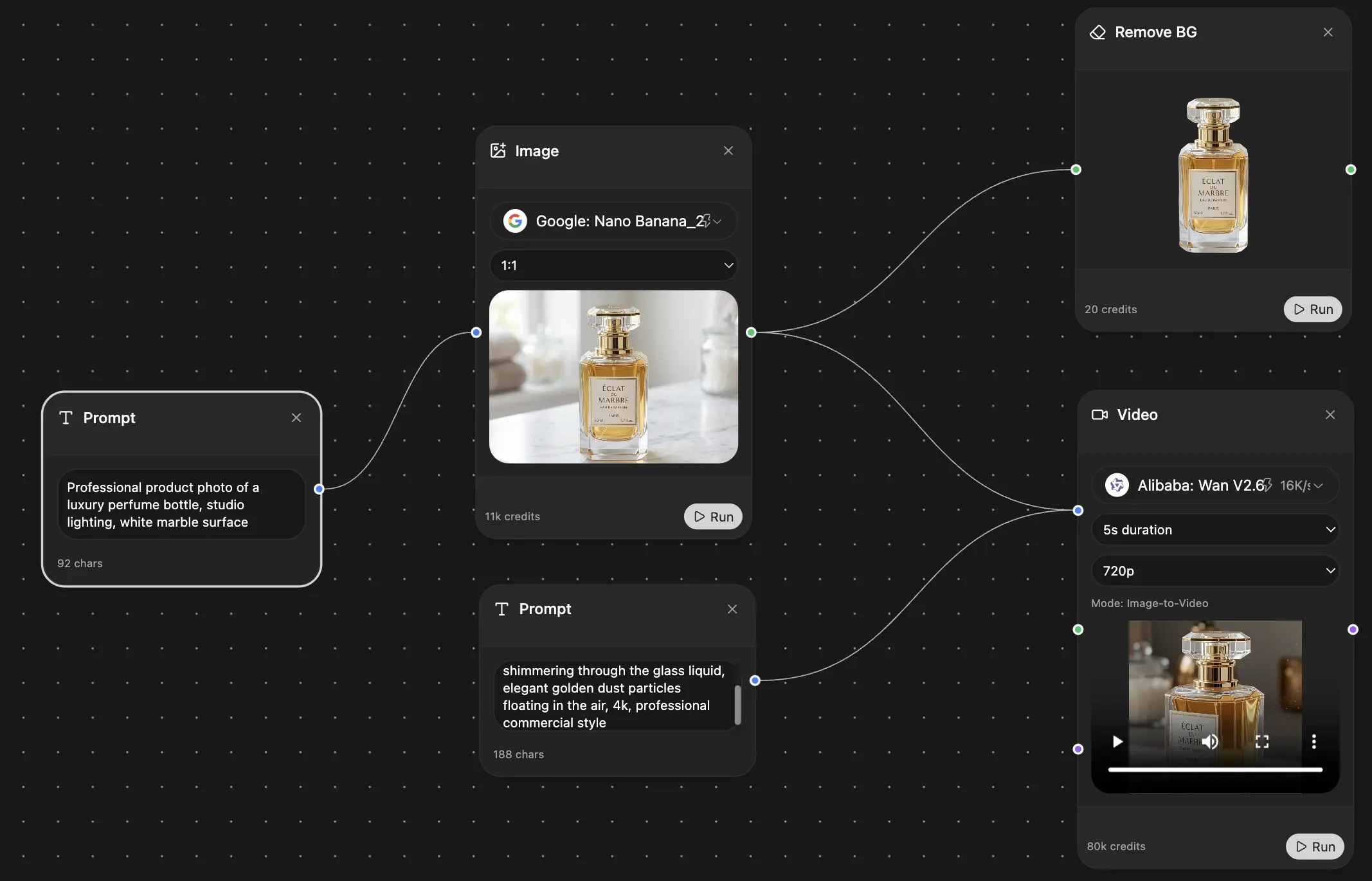
Your infinite AI canvas.
Chat, image, video & motion tools — side by side
Save hours of work and research
Transparent, High-Value Pricing
Trusted by teams at
Free
No credit card required
- 100 credits daily
- 3 AI models to try
- Basic AI chat
Plus
- 1,000,000 credits/month
- 25+ AI models — GPT, Claude, Gemini, Grok & more
- Agent Mode with web search, computer tools and more
- Creative Studio: image generation and video generation
- Project Library: chat with document, website and youtube, podcast generation, flashcards, reports and more
- Workflow Studio and FocusOS
Professional
- Everything in Plus, and:
- 2,100,000 credits/month
- Pro-exclusive models (Claude Opus, Grok 4, Sonar Pro)
- Motion Tools & Max Mode
- First access to latest features
- Access to additional offers
What Our Users Say
Great Tool after 2 months usage
simplyzubair
I love the way multiple tools they integrated in one platform. So far it is going in right dorection adding more tools.
Best in Kind!
barefootmedicine
This is another game-change. have used software that kind of offers similar features, but the quality of the data I'm getting back and the sheer speed of the responses is outstanding. I use this app ...
simply awesome
MarianZ
I just tried it - didnt wanna stay with it, because there is so much like that out there. But it convinced me, because: - the discord-channel is very response and fast - the number of models are quite...
A Surprisingly Comprehensive and Engaging Experience
bruno.battocletti
Zemith is not just another app; it's a surprisingly comprehensive platform that feels like a toolbox filled with unexpected delights. From the moment you launch it, you're greeted with a clean and int...
Great for Document Analysis
yerch82
Just works. Simple to use and great for working with documents and make summaries. Money well spend in my opinion.
Great AI site with lots of features and accessible llm's
sumore
what I find most useful in this site is the organization of the features. it's better that all the other site I have so far and even better than chatgpt themselves.
Excellent Tool
AlphaLeaf
Zemith claims to be an all-in-one platform, and after using it, I can confirm that it lives up to that claim. It not only has all the necessary functions, but the UI is also well-designed and very eas...
A well-rounded platform with solid LLMs, extra functionality
SlothMachine
Hey team Zemith! First off: I don't often write these reviews. I should do better, especially with tools that really put their heart and soul into their platform.
This is the best tool I've ever used. Updates are made almost daily, and the feedback process is very fast.
reu0691
This is the best AI tool I've used so far. Updates are made almost daily, and the feedback process is incredibly fast. Just looking at the changelogs, you can see how consistently the developers have ...