Find The Best GPT For Code: Top Tools for 2026
Discover the best GPT for code in 2026. We review 10 top tools, from Copilot to Zemith, offering actionable insights to optimize your workflow.
Your AI bills got weird fast, didn't they?
A few years ago, the coding stack was simple. Open your IDE, open a terminal, maybe keep a browser tab around for docs and another for that one Stack Overflow answer you swore you'd memorize someday. Now a lot of developers are juggling an IDE plugin, a browser chat, a repo-aware assistant, a PDF chat tool for framework docs, a meeting notes bot, and a separate image or writing tool for everything around the code. Then the invoice hits and suddenly your "productivity stack" looks like a side quest in accounting.
That's why searching for the best gpt for code is usually the wrong framing. You're not just picking a model. You're picking a workflow, a billing structure, a context strategy, and a daily level of annoyance. Some tools are brilliant inside the editor but useless once you need to inspect docs, compare models, or work across code, specs, and product notes. Others promise to do everything and end up feeling like a Swiss Army knife where the scissors can barely cut tape.
The good news is there are real contenders, and they solve different problems well. The bad news is there isn't one universal winner for every team, codebase, or budget. The trick is figuring out whether you need a specialist or whether you'd save more time and money by consolidating tools into one place. That second option matters more than people admit, especially once the team starts stacking subscriptions like they're collecting Pokémon.
If you're also trying to keep cloud spend under control, it's worth borrowing a few habits from . The same mindset applies to AI tooling. Waste hides in sprawl.
1. Zemith The All-in-One Command Center

Monday starts with a bug in the frontend, a product spec buried in a PDF, and a teammate asking for a plain-English summary before standup. If your answer involves three browser tabs, two AI subscriptions, and a lot of copy-paste, the tool choice is already costing more than the invoice suggests.
Zemith stands out because it treats AI for coding as a workflow problem, not just a code completion problem. The point is consolidation. One workspace for code help, model switching, document chat, research, notes, and supporting assets cuts the constant context hopping that gradually burns hours every week.
Why Zemith works in a real workflow
Zemith gives you access to 25+ AI models in one interface, alongside a Coding Assistant for code generation, debugging, explanations, and live previews for React components and HTML. It also includes chat for PDFs, URLs, and YouTube videos, a Smart Notepad, image tools, deep research, whiteboard support, organized projects, and a mobile app.
That feature list matters less as a checklist than as a cost decision. You can keep assembling specialist tools and pay in subscriptions, setup time, and mental overhead. Or you can put more of the work in one place and reduce the number of times your brain has to reload context like a browser tab on bad hotel Wi-Fi.
The multi-model setup is the practical advantage. Different models are better at different jobs, and prompt quality changes the result more than many teams admit. A validation study published on found that ChatGPT's inferential-statistics accuracy improved sharply when researchers used better prompts. Same model family, different outcome. If you want to get more from a setup like this, learning pays off fast.
Practical rule: The more often your work crosses code, docs, notes, and research, the more an integrated workspace beats a single-purpose copilot.
What you get beyond autocomplete
A lot of "best gpt for code" lists judge tools as if coding happens in a vacuum. Real development does not. You still have to read specs, verify API docs, explain trade-offs, and keep project context from dissolving into chat history soup.
Zemith is strong in a few specific areas:
- Multi-model access in one subscription: GPT, Claude, Gemini, and other major models are available without maintaining separate accounts for each one.
- Project-level organization: Library and Projects keep chats, files, and shared context together, which is far better than hunting for the one tab with the architecture notes.
- Built-in coding support: The Coding Assistant handles generation, debugging, explanations, and live previews without pushing you into a separate tool.
- Docs and research in the same workspace: PDFs, URLs, and videos stay connected to the task instead of getting pasted into random chat windows.
- Consolidated spend: At $14.99 per month, Zemith can replace a stack of niche subscriptions, which lowers both direct cost and administrative clutter.
There are trade-offs. A specialist tool can still win on a narrow task, especially if your team lives inside one IDE or one cloud ecosystem all day. Heavy use of premium models also means you should watch credits instead of assuming "all-in-one" means unlimited everything.
Still, for developers trying to reduce tool sprawl, Zemith makes a strong case. Fewer tabs. Fewer invoices. Less context loss. More actual building.
2. GitHub Copilot The Incumbent

Copilot is the safe pick when your team already lives in GitHub. It feels native because, well, it is. Inline suggestions, in-IDE chat, pull request help, summaries, and code review support all fit neatly into a workflow many teams already use every day.
That convenience is real. You don't have to sell developers on a new editor, a weird side panel, or a separate platform just to get started. Install it, sign in, and you're off to the races, or at least off to the races until it autocompletes something so confidently wrong that you laugh and then sigh.
Where Copilot earns its spot
Copilot shines when the work is code-first and GitHub-centered. If your process already revolves around VS Code, pull requests, and code reviews on GitHub, it reduces friction better than most alternatives. Enterprise teams also tend to like its policy controls, auditability, and the fact that legal and security people have seen it before.
There's another practical angle. ChatGPT has the highest developer usage share among AI coding assistants at 81.7%, ahead of GitHub Copilot at 67.9%, according to . That tells you two things. First, developers often want both browser-chat flexibility and IDE-native help. Second, no single interface has won the whole workflow.
Copilot is great at being where developers already are. It's less great at being everything else they need.
The catch
The downside is focus. Copilot is mainly a coding tool. If you also need research, document chat, content generation, and a cleaner way to compare model behavior, you'll still end up bolting on extra software.
Usage-based billing is another thing to watch. Teams that lean hard on AI can discover that "convenient" and "predictable" aren't the same word. That's one reason some developers compare it against unified options before locking in. If you're weighing that trade-off, this breakdown of is a useful lens.
If your world starts and ends in GitHub, Copilot remains one of the easiest recommendations on the board. If your day spills beyond code, the cracks show fast.
3. Cursor The AI-Native Editor

Cursor has one big idea, and it's a good one. Stop treating AI like a plugin taped onto an editor and build the editor around AI from the start. That's why it has such a loyal following among developers who want repo-level edits, agentic workflows, and fast multi-file changes.
If you've ever wanted to say "update all API calls in this folder to use the new SDK pattern" and get something close to useful back, Cursor is one of the tools that makes that feel normal instead of sci-fi marketing fluff. It handles broad edits well, and it feels fast in the way that makes you start trusting it more than you probably should. Every powerful coding tool has that moment.
Best use case
Cursor is strongest when you're making coordinated changes across a codebase. Refactors, repetitive updates, file-by-file cleanup, and codebase-wide pattern shifts are where it starts to justify the switch to a separate editor. It also benefits developers who want a more agent-driven style of working rather than simple autocomplete.
Its VS Code compatibility softens the transition, but it still is a transition. That's the big caveat. If your team is firmly settled into JetBrains or heavily customized editor setups, introducing a separate AI-native environment can feel like changing kitchens because you bought a better chef's knife.
- Great for repo-wide work: Multi-file edits and broad instructions are where Cursor feels ahead of classic inline assistants.
- Strong for fast iteration: It rewards developers who like to work by proposing, reviewing, and refining code in larger chunks.
- Less ideal for workflow consolidation: It's still primarily about coding, not the rest of your research and documentation pipeline.
A lot of people also use tools like Cursor for turning UI references into components. If that's your thing, this guide on pairs nicely with that style of development.
The trade-off nobody loves
Pricing and credits have been a recurring source of hesitation. For teams trying to plan costs cleanly, that uncertainty matters. Cursor can be excellent, but "excellent plus billing anxiety" is still billing anxiety.
If your main concern is shipping code faster inside an AI-first editor, Cursor is a top-tier option. If you want one place for code, docs, research, and model choice, it's more specialist than solution.
4. Sourcegraph Cody The Codebase Guru

Cody is for the teams with a codebase large enough to have folklore. The kind where onboarding includes phrases like "nobody touches that service on Fridays" and "the original author left three years ago but the cron job still fears him."
Sourcegraph built its reputation on understanding code across repositories, and Cody inherits that strength. It works best when the hard part isn't writing fresh code. It's understanding your code, your symbols, your files, your references, and how one weird utility function affects six services nobody meant to couple together.
Where Cody is genuinely useful
The @-mention style context handling is the killer feature. You can pull in files, symbols, and repos directly, which makes the interaction tighter than generic chat windows that pretend they "understand your project" after glancing at one file. For sprawling systems, that specificity helps a lot.
Cody also makes sense for teams already invested in Sourcegraph's code search and enterprise setup. In that environment, it becomes less of an add-on and more of an extension of how the team already inspects and reasons about code. That's especially valuable for onboarding and for legacy code work, where understanding beats generation.
Large codebases don't need more autocomplete. They need better memory.
Where it can feel heavy
For smaller projects, Cody can feel like using a backhoe to plant a tomato. Powerful, yes. Sensible, not always. To get the best results, you usually want the broader Sourcegraph setup, and that adds operational weight that many smaller teams don't need.
If your biggest challenge is wrangling multi-repo complexity, Cody deserves a serious look. If your work is mostly one repo, one app, and one team, you'll probably get more mileage from something lighter or more consolidated.
5. Codeium The Freemium Champion

Codeium wins a lot of goodwill for one simple reason. You can start using it without turning the decision into a procurement meeting. For solo developers, students, and teams that want to test the waters, that matters a lot.
The free tier is the hook, but broad IDE support and fast inline completions are what keep people around. It's one of the easiest tools to recommend to someone who says, "I want to try AI coding help, but I don't want to redesign my entire workflow or hand over a corporate card first."
Why it punches above its weight
Codeium is quick, easy to install, and available across a wide range of editors. For straightforward coding help, completions, and in-editor chat, it does the job with less friction than many premium-first competitors. That's not a minor advantage. A tool you install and use beats a "better" tool that sits in your bookmarks gathering digital dust.
It's also a decent fit for developers who just want a coding layer, not an entire AI operating system. Sometimes that's exactly the right choice.
- Low-risk adoption: Great if you want to test AI pair programming without a big commitment.
- Broad compatibility: Useful for developers spread across different IDEs.
- Fast enough for everyday coding: Especially solid for common languages and routine patterns.
If the goal is raw speed in daily development, pairing a coding assistant with better habits still matters. This article on is worth the read because AI only helps if your workflow isn't fighting itself.
Where it stops short
Codeium is less compelling when your tasks become agentic, multi-file, or heavily research-driven. It's a strong entry point, not always the deepest workbench.
For individual developers, it's easy to like. For teams trying to unify more than code assistance, it's usually one part of a stack rather than the whole answer.
6. Tabnine The Privacy-First Partner

Tabnine is what happens when security and compliance get a real seat at the table. A lot of AI coding discussions obsess over speed, autocomplete quality, and model branding. Tabnine spends more energy on governance, private deployment, and control. For some teams, that's not a side feature. That's the whole buying decision.
If you're working in a regulated environment or handling sensitive code, privacy-first isn't a marketing slogan. It's the line between "approved" and "absolutely not."
Why enterprises keep Tabnine in the conversation
On-premises and private cloud options are the headline. Those deployment choices let teams keep tighter control over proprietary code and internal data. Pair that with organization-level controls and broad IDE support, and Tabnine becomes attractive to companies that care more about risk posture than having the trendiest AI assistant in the room.
Security also deserves a bigger role in any best gpt for code conversation. Backslash Security's April 2025 research found that with naive prompts, GPT-4o scored 1/10 for secure code and GPT-4.1 scored 1.5/10 in their testing, with both models producing insecure outputs unless explicitly guided, according to . That should sober up anyone blindly accepting generated code in production.
Security note: The model that writes the fastest code isn't automatically the model that writes deployable code.
The obvious compromise
Tabnine may not feel as cutting-edge as cloud-first tools chasing the newest model behavior. Setup can also be heavier because that's the price of governance. But for teams that need private deployment and tighter controls, those aren't bugs. They're the reason the product exists.
If legal, compliance, and internal security reviews dominate your buying process, Tabnine is one of the stronger options on this list.
7. Amazon Q Developer The AWS Native

Amazon Q Developer is less "best general coding assistant" and more "best assistant if your company already has AWS fingerprints on everything." That's an important distinction. In the right environment, it makes a lot of sense. Outside that environment, it can feel oddly specific.
Its real value comes from helping with the broader AWS software lifecycle, not just code generation. Migrations, upgrades, troubleshooting in the AWS context, and service-aware assistance are where it earns its keep.
Best fit
Teams building extensively on AWS often prefer tools that understand the surrounding platform. That's where Amazon Q stands out. It lives closer to the services, workflows, and operational habits those teams already use.
This can make procurement easier too. Existing AWS relationships, compliance expectations, and platform familiarity remove some of the adoption friction that non-native tools face. For platform teams and cloud-heavy orgs, that's practical, not glamorous.
- Strong AWS alignment: Better fit for cloud-specific help than generic coding assistants.
- Useful beyond code writing: Especially for migrations, upgrades, and operational workflows tied to AWS.
- Less universal: The further you are from AWS, the weaker the case gets.
Where it falls short
If you're not building on AWS, a lot of the value proposition disappears. You're left with a tool that may be perfectly fine but no longer especially compelling. Pricing can also get messy when subscriptions and usage-based agent costs start mixing.
For AWS-first teams, it's worth serious consideration. For everyone else, there are cleaner and less specialized options.
8. JetBrains AI Assistant The IDE Purist's Pick

If you're a JetBrains person, you're probably a JetBrains person in the way coffee people are coffee people. You already have opinions, shortcuts, and a suspiciously strong attachment to your IDE's inspections. JetBrains AI Assistant understands that personality type because it lives inside the IDE instead of pretending to.
That native feel is its biggest strength. It doesn't feel bolted on. It feels like another part of the editor's own tooling, which makes adoption smoother for developers who don't want to change editors just to get smarter AI support.
Why it feels better than many plugins
JetBrains already has deep structural understanding of your code through the IDE itself. When AI features sit on top of that, refactoring and code-aware interactions can feel more coherent than a generic assistant peeking through a plugin window. JetBrains also handles model routing behind the scenes, which lowers the management burden for developers who don't want to babysit APIs or model settings.
This is a quality-of-life choice as much as a model choice. If the environment feels right, you'll use it more.
A coding assistant you trust inside your main editor is usually better than a theoretically stronger tool you keep avoiding.
The limitation is obvious
You need to be in the JetBrains ecosystem. If you're not, this isn't your tool. Even if you are, monthly credits and quotas can become annoying if your usage is heavy.
Still, for IntelliJ, PyCharm, WebStorm, and friends, JetBrains AI Assistant is one of the most comfortable ways to add AI help without changing your working habits.
9. Replit AI The Cloud Dev Environment

Replit is the fastest way on this list to go from "I have an idea" to "there is now an app-shaped thing on the internet." That's not a niche use case. For prototypes, experiments, teaching, hackathons, and collaborative building, it's a very compelling package.
The big advantage is that it's all in the browser. No setup, no local environment wrestling, no opening five config files before you've even named the project. Sometimes that convenience is exactly what gets a project started instead of abandoned.
Where Replit shines
Replit combines the coding environment, hosting, collaboration, and AI assistance in one cloud-first setup. That makes it especially appealing for quick iteration. The AI Agent can also help with multi-step tasks, which is handy when you're trying to move from rough concept to working prototype quickly.
For learners and small teams, that all-in-one feel is refreshing. It's less "assemble your dev stack" and more "start building now."
- Zero setup: Good for speed, teaching, and experimentation.
- Built for sharing: Great when multiple people need to collaborate quickly.
- Prototype-friendly: Strong fit for early-stage apps and internal tools.
Where caution is warranted
Cloud convenience means less local control. And once AI usage is tied to effort or task complexity, costs can creep up if you lean too hard on the agent for complex work. That's a familiar pattern in AI tools. The first hit feels cheap, then the tab grows teeth.
Replit is excellent for speed and accessibility. It's less ideal if you need a highly customized local workflow or want tight cost predictability.
10. Google Gemini Code Assist The Google Cloud Staple

Gemini Code Assist makes the strongest case when your world already runs on Google tooling. Android Studio users should pay attention immediately. GCP-heavy teams should too. In those contexts, the product fit is clear and practical.
Outside of Google's ecosystem, it's more of a contender than a default choice. That's not a knock. Specialist alignment is often better than broad mediocrity.
The model angle that matters
One broader point is worth calling out. As discussed by developers in the OpenAI community, gpt-4.1 stands out for coding because it offers a 1 million token context window and is available through the API rather than a standard chat product, according to this . That highlights a real issue in coding workflows. The best model for code isn't always the easiest one to access.
That's part of why platforms that let you compare models in one workspace can be so useful. If you're curious how GPT-4o and Claude compare for hands-on work, this is a solid companion read.
Best fit and caveats
Gemini Code Assist is most attractive for:
- Android development: Native relevance matters here.
- GCP-centric teams: Better alignment with existing cloud workflows.
- Google-managed organizations: Easier account and admin integration.
The trade-off is that feature consistency and plugin polish can feel less convincing outside Google's strongest environments. Pricing tiers and request limits can also be harder to parse than they should be. That's not fatal, but it does create friction.
For Google-first shops, it's a natural option. For mixed stacks, you may prefer something more flexible.
Top 10 GPTs for Coding: Feature Comparison
Stop Switching, Start Building The Case for a Unified AI
After comparing all these tools, one pattern becomes hard to ignore. The best gpt for code isn't just the one with the smartest autocomplete or the flashiest demo. It's the one that fits the way real development happens. Real development is messy. You read specs, inspect docs, ask architecture questions, debug broken UI, compare models, summarize findings, and then jump back into code. A tool that only helps with one slice of that process can still be useful, but it won't solve the larger problem.
That larger problem is context switching.
Every jump has a cost. Open the IDE extension. Switch to a browser chat. Paste in docs. Open a PDF. Return to the terminal. Ask a different model because the first one gave you nonsense. Search your old chats because the one useful answer disappeared into the void. None of this looks expensive in isolation. Together, it drains focus and makes your workflow feel like a scavenger hunt.
That's why specialist tools and unified platforms should be judged differently. Copilot is excellent if your life revolves around GitHub. Cursor is excellent if you want an AI-native editor for aggressive repo-wide changes. Cody is excellent when your codebase is huge and understanding context is the primary challenge. Tabnine is excellent when privacy and deployment control are essential. Replit is excellent for instant cloud-based prototyping.
But most developers don't just have one problem.
They have coding tasks, research tasks, documentation tasks, review tasks, and communication tasks. They also have a budget, a tolerance limit for tool sprawl, and a brain that works better when it isn't alt-tabbing every ninety seconds. Given these factors, a unified workspace starts to beat a collection of best-in-class point tools. Not because every specialized feature is deeper, but because the total workflow is cleaner.
Zemith makes the strongest case from that angle. It gives developers one place to access multiple leading models, use a coding assistant, debug with live previews, chat with documents, organize project knowledge, and handle adjacent tasks that usually force people into separate apps. That matters because the hidden cost in modern AI adoption isn't only subscription spend. It's operational clutter. It's fragmented context. It's the team member who asks, "Which tool are we supposed to use for this part again?"
A unified setup also future-proofs you better. Model preferences change fast. One month people are all-in on one model, the next month a different model handles long context, coding, or reasoning better. If your workflow is tied to one narrow assistant, every shift in model quality becomes a workflow problem. If your platform gives you access to multiple models in one place, changes in the market feel less disruptive. You route the task to the right model and keep moving.
There is still room for specialist tools. I'm not pretending a unified platform automatically replaces every niche product for every team. Some companies will absolutely want the deepest GitHub integration, the strictest on-prem deployment, or the most opinionated AI-native editor. That's reasonable. But for a lot of developers and teams, the saner move is not adding another subscription. It's consolidating what they already do into one system that reduces noise.
That's the answer to the "best gpt for code" question. Pick the tool that improves your whole workflow, not just your next autocomplete suggestion.
If you're tired of juggling separate AI subscriptions for coding, docs, research, writing, and everything in between, is worth a serious look. It brings multi-model access, a practical Coding Assistant, document chat, deep research, organized workspaces, and creative tools into one interface so you can spend less time switching tabs and more time shipping.
Explore Zemith Features
Everything you need. Nothing you don't.
One subscription replaces five. Every top AI model, every creative tool, and every productivity feature, in one focused workspace.
Every top AI. One subscription.
ChatGPT, Claude, Gemini, DeepSeek, Grok & 25+ more








Always on, real-time AI.
Voice + screen share · instant answers
What's the best way to learn a new language?
Immersion and spaced repetition work best. Try consuming media in your target language daily.
Voice + screen share · AI answers in real time
Image Generation
Flux, Nano Banana, Ideogram, Recraft + more

Write at the speed of thought.
AI autocomplete, rewrite & expand on command
Any document. Any format.
PDF, URL, or YouTube → chat, quiz, podcast & more
Video Creation
Veo, Kling, Grok Imagine and more

Text to Speech
Natural AI voices, 30+ languages
Code Generation
Write, debug & explain code
Chat with Documents
Upload PDFs, analyze content
Your AI, in your pocket.
Full access on iOS & Android · synced everywhere
Your infinite AI canvas.
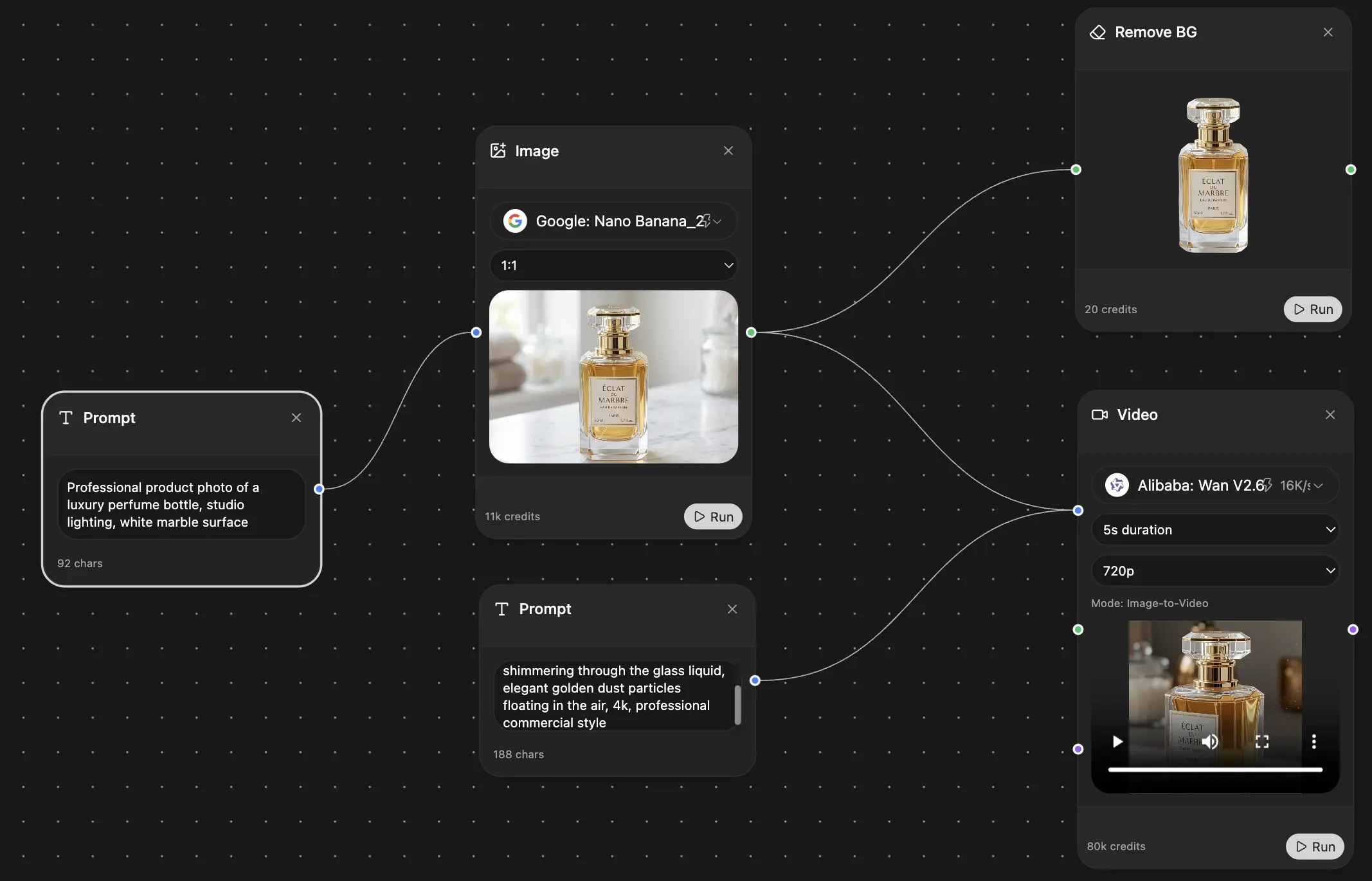
Chat, image, video & motion tools — side by side
Save hours of work and research
Transparent, High-Value Pricing
Trusted by teams at






Free
No credit card required
- 100 credits daily
- 3 AI models to try
- Basic AI chat
Plus
- 1,000,000 credits/month
- 25+ AI models — GPT, Claude, Gemini, Grok & more
- Agent Mode with web search, computer tools and more
- Creative Studio: image generation and video generation
- Project Library: chat with document, website and youtube, podcast generation, flashcards, reports and more
- Workflow Studio and FocusOS
Professional
- Everything in Plus, and:
- 2,100,000 credits/month
- Pro-exclusive models (Claude Opus, Grok 4, Sonar Pro)
- Motion Tools & Max Mode
- First access to latest features
- Access to additional offers
What Our Users Say
Great Tool after 2 months usage
simplyzubair
I love the way multiple tools they integrated in one platform. So far it is going in right dorection adding more tools.
Best in Kind!
barefootmedicine
This is another game-change. have used software that kind of offers similar features, but the quality of the data I'm getting back and the sheer speed of the responses is outstanding. I use this app ...
simply awesome
MarianZ
I just tried it - didnt wanna stay with it, because there is so much like that out there. But it convinced me, because: - the discord-channel is very response and fast - the number of models are quite...
A Surprisingly Comprehensive and Engaging Experience
bruno.battocletti
Zemith is not just another app; it's a surprisingly comprehensive platform that feels like a toolbox filled with unexpected delights. From the moment you launch it, you're greeted with a clean and int...
Great for Document Analysis
yerch82
Just works. Simple to use and great for working with documents and make summaries. Money well spend in my opinion.
Great AI site with lots of features and accessible llm's
sumore
what I find most useful in this site is the organization of the features. it's better that all the other site I have so far and even better than chatgpt themselves.
Excellent Tool
AlphaLeaf
Zemith claims to be an all-in-one platform, and after using it, I can confirm that it lives up to that claim. It not only has all the necessary functions, but the UI is also well-designed and very eas...
A well-rounded platform with solid LLMs, extra functionality
SlothMachine
Hey team Zemith! First off: I don't often write these reviews. I should do better, especially with tools that really put their heart and soul into their platform.
This is the best tool I've ever used. Updates are made almost daily, and the feedback process is very fast.
reu0691
This is the best AI tool I've used so far. Updates are made almost daily, and the feedback process is incredibly fast. Just looking at the changelogs, you can see how consistently the developers have ...